Does My F150 Have BlueCruise? Check Year, Trim & VIN
If you are asking does my F150 have BlueCruise, the honest answer is: only if it was built with the right hardware and you have an active subscription or trial. BlueCruise is not a feature that can be switched on in every truck. It requires the Co-Pilot360 Active 2.0 Prep Package from the factory, an activated FordPass Connect modem, and Vehicle Connectivity Settings turned On.
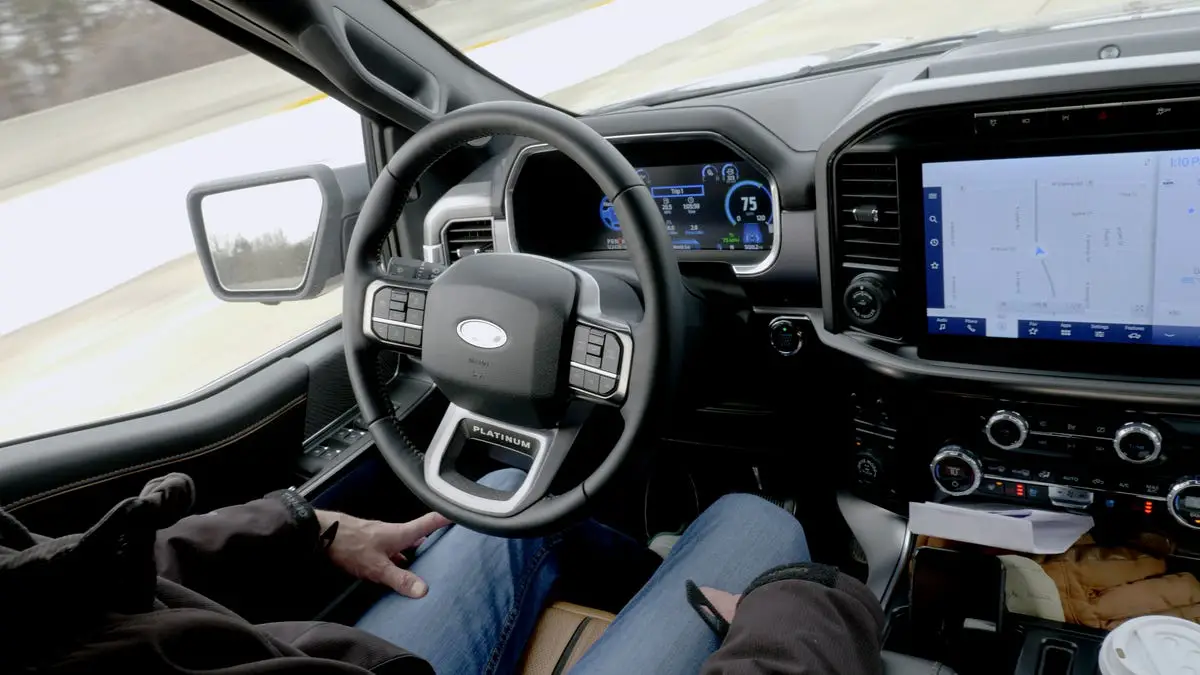
Credit: www.verneideford.com
Understanding Ford BlueCruise
To determine if your F150 has BlueCruise, start by checking your Ford Account under the Connected Services tile. If your vehicle is equipped with BlueCruise capabilities, it will be listed along with your service start date. You can also check your window sticker, VIN, or the SYNC 4 settings menu. Activate your FordPass Connect modem and ensure your Vehicle Connectivity Settings are set to On for BlueCruise access.
What Is Ford BlueCruise?
Ford BlueCruise is Ford’s advanced hands-free driving system that allows drivers to experience a more relaxed and convenient driving experience. With BlueCruise, your Ford F150 can effortlessly steer, accelerate, and brake itself on certain prequalified sections of divided highways. This innovative technology combines the capabilities of Adaptive Cruise Control with Lane Centering, which enables your vehicle to stay within the lane while maintaining a safe distance from other vehicles.Where Is Ford BlueCruise Available?
Ford BlueCruise is available on select Ford F150 models. To check if your F150 has BlueCruise capabilities and its availability, you can verify it on your Ford Account under the Connected Services tile. Here, you will find detailed information about the status and activation dates of your BlueCruise service. It’s important to note that not all F150 models come with BlueCruise, so make sure to confirm its availability before making a purchase.How Does Ford BlueCruise Work?
BlueCruise Availability by Year and Trim
BlueCruise availability depends on both model year and trim. The table below shows which F-150 trims have been eligible for BlueCruise from 2021 through 2025 when equipped with the Co-Pilot360 Active 2.0 Prep Package. Always confirm with your window sticker or VIN, because Ford has changed package availability within model years.
| Model Year | Trims Eligible for BlueCruise |
|---|---|
| 2021 | Lariat, King Ranch, Platinum, Limited (with Active 2.0 Prep) |
| 2022 | Lariat, King Ranch, Platinum, Limited (with Active 2.0 Prep) |
| 2023 | Lariat, King Ranch, Platinum, Limited (with Active 2.0 Prep) |
| 2024 | Lariat, King Ranch, Platinum, Limited (with Active 2.0 Prep) |
| 2025 | Lariat, King Ranch, Platinum, Limited (with Active 2.0 Prep) |
Lower trims such as XL, XLT, and Tremor generally do not offer BlueCruise. If you drive a Lariat or above, check the window sticker for the Active 2.0 Prep Package to confirm your truck is hardware-ready.
BlueCruise vs. Co-Pilot360 Assist 2.0 vs. Active 2.0 Prep
These three names get mixed up constantly, and the difference matters when you are checking your own truck. Co-Pilot360 Assist 2.0 includes adaptive cruise control with stop-and-go and lane centering, but it does not enable hands-free driving. Co-Pilot360 Active 2.0 Prep Package is the hardware package that adds the driver-facing camera and the sensors BlueCruise needs. BlueCruise itself is the subscription service that unlocks hands-free driving on Blue Zones once the hardware is present. In short: Assist 2.0 is not BlueCruise, Active 2.0 Prep is the hardware, and BlueCruise is the feature you subscribe to.
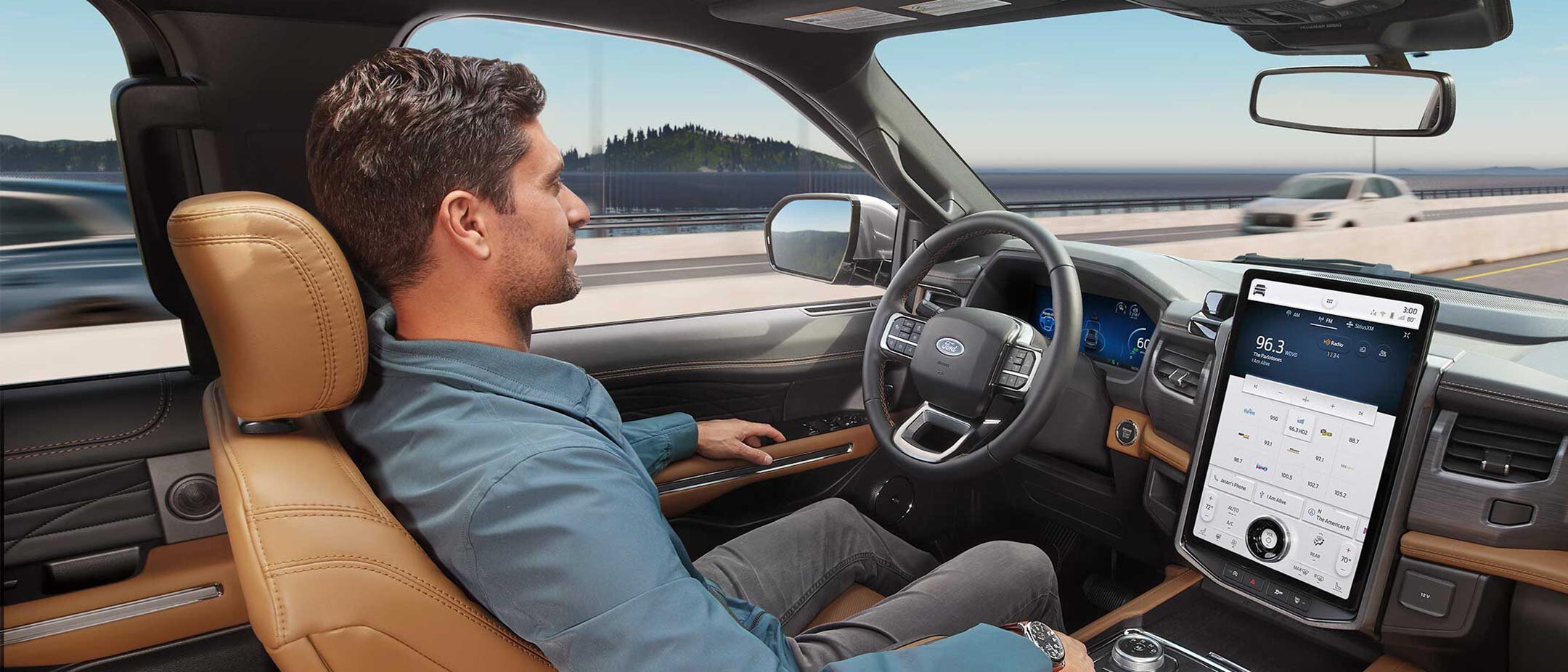
Ford BlueCruise uses a combination of advanced camera and radar sensors to detect and monitor the surrounding environment. Through these sensors, the system identifies lane markings and other vehicles, ensuring that your F150 stays on track and maintains a safe distance from other cars on the road. When engaged, BlueCruise allows the driver to take their hands off the steering wheel within certain conditions, as specified by Ford. However, drivers must remain attentive and ready to take control of the vehicle when required. To activate Ford BlueCruise, your FordPass Connect modem needs to be activated, and your Vehicle Connectivity Settings should be set to On. If your vehicle is eligible for a complimentary trial, BlueCruise will be automatically available once your modem is activated and you have accepted the terms and conditions. It’s essential to review the owner’s manual and understand the system’s limitations and requirements before using Ford BlueCruise. In conclusion, Ford BlueCruise is an innovative hands-free driving system designed to enhance driver convenience and safety. It brings advanced technologies together to provide a more relaxed and enjoyable driving experience. If you’re considering purchasing an F150 and want the added convenience of Ford BlueCruise, make sure to check if it’s available on the specific model you’re interested in.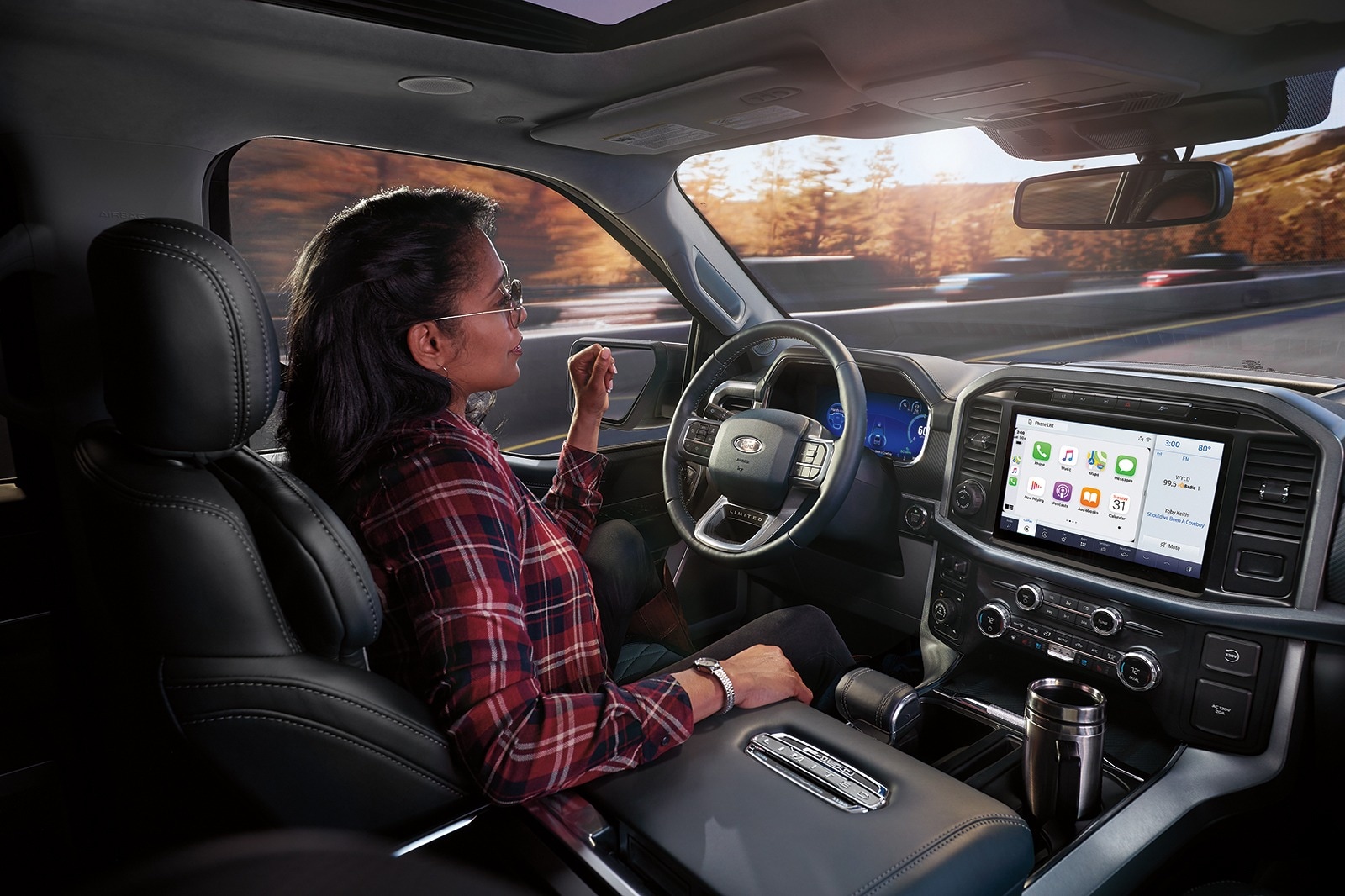
Credit: www.edmunds.com
Activating And Using Ford Bluecruise
If you own a Ford F150 and are wondering if your vehicle is equipped with BlueCruise, you might be curious about how to activate and use it. Ford BlueCruise is an advanced driver-assist technology that allows for hands-free driving on certain sections of pre-mapped, divided highways called Blue Zones. In this guide, we will walk you through the process of enabling, using, and deactivating Ford BlueCruise.
How To Enable Ford Bluecruise
To begin using Ford BlueCruise, you first need to ensure that your vehicle is equipped with this feature. You can verify your vehicle’s Ford BlueCruise availability and status on your Ford Account under the Connected Services tile. Here, you will find information about your vehicle’s eligibility and activation status. If your truck is equipped with BlueCruise capabilities and your service has commenced, you can activate it through the FordPass app or your vehicle’s SYNC 4 settings.
How To Turn Ford Bluecruise And Adaptive Cruise Control On
Before you can start using Ford BlueCruise, you must activate your FordPass Connect modem and ensure that your Vehicle Connectivity Settings are set to On. Once you have done this, BlueCruise will be available on your vehicle if it is eligible for a complimentary trial or if you have already subscribed to the service. Press the BlueCruise button on the steering wheel to engage it when you are on an eligible Blue Zone highway.
How Does Ford Bluecruise Cancel?
Ford BlueCruise is designed to provide a safe and convenient driving experience. However, there are certain situations in which the system may cancel automatically. For instance, if you encounter a road that is not eligible for BlueCruise, the system will cancel and notify you to take control of the vehicle. Similarly, if you encounter poor weather conditions such as heavy rain or snow, BlueCruise may deactivate for your safety.
Turning Ford Bluecruise Off
If you want to turn off Ford BlueCruise manually, you can easily do so by accessing the settings in your vehicle’s infotainment system. Simply navigate to the appropriate menu and toggle the BlueCruise feature off to revert back to regular driving mode.
Remember, while Ford BlueCruise is a cutting-edge technology that enhances your driving experience, it is essential to stay vigilant and keep your hands on the steering wheel at all times. BlueCruise is designed to assist you, but it is not a fully autonomous driving system.
Benefits And Features Of Ford Bluecruise
Ford BlueCruise offers hands-free driving capabilities for certain Ford vehicles, including the F150. You can check your vehicle’s availability and status through your Ford Account, ensuring a safe and convenient driving experience.
Ford BlueCruise is an innovative technology that brings self-driving capabilities to select Ford F150 models. This advanced system offers a range of benefits and features that enhance your driving experience, making it more comfortable, convenient, and safe.
Comfortability
With Ford BlueCruise, you can enjoy a more relaxed and comfortable ride. The system takes over the driving responsibilities in certain situations, allowing you to sit back and enjoy the journey. This hands-free feature reduces driver fatigue and stress, making long drives more enjoyable.
Tech & Features
Ford BlueCruise incorporates a range of cutting-edge technologies that make driving a breeze. The system utilizes a combination of radars, cameras, and sensors to scan the surrounding environment and make real-time decisions. This advanced technology ensures precise control and enhances safety while on the road.
Lane Keeping
One of the standout features of Ford BlueCruise is its Lane Keeping capability. The system uses cameras to detect lane markings and keep your vehicle centered within the lane. This helps prevent unintentional drifting and improves overall driving stability.
Mode Alert
With Mode Alert, Ford BlueCruise keeps you informed and engaged. The system provides alerts and notifications to ensure you are aware of the current driving mode and any changes in operating conditions. This helps you stay attentive and in control at all times.
Cross Traffic Alert
Ford BlueCruise also includes Cross Traffic Alert, which enhances your awareness of surrounding vehicles and obstacles. The system uses sensors to detect approaching traffic from the sides when you are backing out of a parking spot. This feature helps prevent accidents and promotes safer maneuvering.
Pre-collision Assist
Safety is a top priority with Ford BlueCruise, and the Pre-Collision Assist feature reflects this commitment. The system utilizes radar and cameras to detect potential collisions with vehicles or pedestrians ahead. It can apply the brakes automatically to mitigate or avoid accidents, providing you with added peace of mind.
Adaptive Cruise Control
Another impressive feature of Ford BlueCruise is Adaptive Cruise Control. This technology allows you to set a desired cruising speed and maintain a safe distance from the vehicle ahead. The system automatically adjusts your speed to maintain this distance, reducing the need to constantly adjust the pedals.
Cruise Control
Traditional Cruise Control is also integrated into Ford BlueCruise, giving you the option to manually control your vehicle’s speed. This feature is useful when driving on open highways or maintaining a consistent speed on long stretches of road.
Lane Centering
Last but not least, Ford BlueCruise includes Lane Centering, which helps keep your vehicle in the center of the lane. The system combines data from the cameras and sensors to make continuous steering adjustments, ensuring you stay in your lane even on curved roads.
In conclusion, Ford BlueCruise offers a range of benefits and features that enhance your driving experience. From comfort and convenience to advanced safety technologies, this self-driving system takes your F150 to the next level.
Verifying BlueCruise Availability And Activation
To determine if your F150 has BlueCruise, check your Ford Account under the Connected Services tile. It will show your vehicle’s availability and activation status. You can also check your window sticker or Monroney label for the Co-Pilot360 Active 2.0 Prep Package, look up your VIN through Ford’s website or the FordPass app, or check the SYNC 4 settings menu for a BlueCruise option. Activate your FordPass Connect modem and ensure your Vehicle Connectivity Settings are set to On to use BlueCruise.
If you are a proud owner of an F150 and you have been wondering if your vehicle is equipped with the cutting-edge Ford BlueCruise technology, we have got you covered. Verifying the availability and activation status of BlueCruise is a crucial step to ensure you can experience the convenience and innovation it brings to your driving experience. In this guide, we will walk you through the process of verifying your vehicle’s BlueCruise status step by step.
How Do I Get Ford BlueCruise?
If you are eager to utilize Ford BlueCruise in your F150, here is what you need to do. To activate BlueCruise, you will first need to make sure your FordPass Connect modem is activated and your Vehicle Connectivity Settings are set to On. Once your modem is activated and you have agreed to the terms and conditions, BlueCruise will automatically become available for use if your vehicle has the required hardware and an active subscription or trial. It is as simple as that.
Verifying Your Vehicle’s Ford Bluecruise Availability
So, how do you confirm if your F150 is equipped with Ford BlueCruise? Well, you can check the status of this advanced technology by accessing your Ford Account. Just head over to the Connected Services tile in your Ford Account, and you will find all the information you need. This includes the availability of BlueCruise in your vehicle, as well as the date when your service began. It is a quick and easy way to verify your truck’s capability.
Do I Actually Have Bluecruise?
If you are still unsure whether BlueCruise is present in your F150, here is a handy tip. Check your window sticker or Monroney label. It should clearly indicate whether your vehicle is equipped with the Co-Pilot360 Active 2.0 Prep Package, which is the hardware required for BlueCruise. If you spot this package mentioned towards the bottom, congratulations, you are all set to experience the wonders of BlueCruise.
How Do I Know If I Have The Bluecruise Update?
Now, you might be wondering if your F150 has received the BlueCruise update. To find out, you can consult your local Ford dealership. Their knowledgeable staff can quickly verify if your vehicle has been updated with BlueCruise. They will have the expertise to provide you with all the necessary information and ensure you do not miss out on the latest advancements in driving technology.
Subscription Costs, Free Trials, and Blue Zones
BlueCruise is a subscription service, not a one-time purchase. Ford has offered complimentary trial periods with new vehicles, and after the trial ends you need an active Connected Services plan to keep using hands-free driving. Pricing and trial length have varied by model year and promotion, so check your Ford Account or contact your dealer for the current offer on your VIN. BlueCruise only works on pre-mapped, divided highways called Blue Zones. Outside those zones, the system reverts to adaptive cruise control and lane centering, and you must keep your hands on the wheel. Blue Zone coverage has expanded over time through OTA updates, so make sure your SYNC 4 system is up to date.
Can You Add BlueCruise After Purchase?
Adding BlueCruise after purchase is only possible if your F150 was built with the Co-Pilot360 Active 2.0 Prep Package. That package installs the driver-facing camera, radar, and sensors BlueCruise needs. If your truck has the prep package, you can subscribe through Ford Connected Services and activate BlueCruise without a dealership visit. If your truck does not have the prep package, BlueCruise cannot be added later because the hardware is missing and cannot be retrofitted through software alone. Check your window sticker or VIN to confirm whether your truck has the prep package before assuming you can add it.
In conclusion, verifying BlueCruise availability and activation for your F150 is a straightforward process. By following the steps outlined above, you can easily determine if your vehicle is equipped with this innovative feature. So, get ready to take your driving experience to the next level with Ford BlueCruise!
Credit: www.f150gen14.com
Frequently Asked Questions On Does My F150 Have Bluecruise
How Can I Tell If My F150 Has Bluecruise?
To determine if your F150 has BlueCruise, check your Ford Account under the Connected Services tile. It will indicate BlueCruise availability and status, along with the service start date. You can also check your window sticker for the Co-Pilot360 Active 2.0 Prep Package, look up your VIN, or check the SYNC 4 settings menu. Activate your FordPass Connect modem and ensure your Vehicle Connectivity Settings are set to On for BlueCruise usage.
How Do I Activate Bluecruise On F150?
To activate BlueCruise on your F150: 1. Verify BlueCruise availability on your Ford Account. 2. Activate your FordPass® Connect modem and turn on Vehicle Connectivity Settings. 3. If eligible for a trial, BlueCruise will automatically activate once your modem is activated and terms are accepted.
(Source: Ford BlueCruise Frequently Asked Questions)
Can You Add Bluecruise To 2023 F150?
To get Ford BlueCruise, first confirm your vehicle has the Co-Pilot360 Active 2.0 Prep Package. Then activate your FordPass Connect modem and ensure your Vehicle Connectivity Settings are set to On. If eligible for a complimentary trial, BlueCruise will be available once your modem is activated and you accept the terms and conditions. After the trial, you will need an active subscription to keep using it.
How Do I Get Ford Bluecruise?
To get Ford BlueCruise, activate your FordPass® Connect modem and ensure your Vehicle Connectivity Settings are set to On. If eligible for a complimentary trial, BlueCruise will be available once your modem is activated and you accept the terms and conditions.
Conclusion
If you are wondering whether your F150 has BlueCruise, you can easily verify its availability and status on your Ford Account under the Connected Services tile. You can also check your window sticker for the Co-Pilot360 Active 2.0 Prep Package, look up your VIN, or check the SYNC 4 settings menu. Activating BlueCruise requires activating your FordPass Connect modem and ensuring your Vehicle Connectivity Settings are set to On.
Once activated, you’ll be able to enjoy the benefits of this advanced self-driving system. Stay connected with Ford and unleash the powerful capabilities of BlueCruise in your F150.
Related posts:
 How Far Can You Drive Without an Alternator? Real Distances
 What Color Is Avalanche for Ford? The Definitive 2026 Guide
 How to Disengage 4WD in Ford F150: Easy Steps to 2H
 How to Fix Power Steering Assist Fault in Ford F150
 What Lug Pattern is a Ford F150: Unveiling the Perfect Fit for Your Ride
 How to Tell If Your F150 Has Remote Start: Easy Steps
How Much is a Windshield for a Ford F150: Find the Best Price Now!
How to Tell If Your F150 Has Remote Start: Easy Steps
How Much is a Windshield for a Ford F150: Find the Best Price Now!
 Best Aftermarket Radio For 2013 Ford F150: Expert Picks
 Best Floor Jack for F150
 How to Get a Spare Tire off a Ford F150
 5 Best Ford F150 Bed Covers: Expert Picks & Quality Tested
 Best Tuners for Ford F150 EcoBoost to Boost Performance