Turn Off Park Brake Maintenance Mode F150
Turning off park brake maintenance mode on your Ford F150 is essential after servicing the parking brake system. This guide walks you through the process clearly and safely, ensuring your truck operates correctly without warning lights or reduced braking performance.
Key Takeaways
- Understand what park brake maintenance mode is: It’s a safety feature that activates when the parking brake is serviced, disabling automatic functions until reset.
- Know when to turn it off: Always deactivate maintenance mode after brake pad replacement, cable adjustment, or any rear brake service.
- Use the correct procedure: The reset process involves the brake pedal, ignition, and dashboard controls—no tools required.
- Ensure safety first: Always park on level ground, use wheel chocks, and avoid working under the vehicle unless necessary.
- Watch for warning signs: If the brake warning light stays on or the system behaves oddly, recheck your steps or consult a mechanic.
- Keep your owner’s manual handy: Ford updates procedures slightly by model year, so verify steps for your specific F150.
- Don’t skip the test drive: After resetting, test the parking brake at low speed to confirm proper function.
How to Turn Off Park Brake Maintenance Mode on a Ford F150
If you’ve recently serviced your Ford F150’s parking brake—whether you replaced brake pads, adjusted cables, or performed rear brake work—you may have noticed a warning light on your dashboard or limited functionality in the electronic parking brake (EPB) system. This is because your truck has entered park brake maintenance mode, a built-in safety feature designed to prevent accidental engagement during service.
Don’t worry—this is normal. But it’s important to turn off park brake maintenance mode once the work is complete. Leaving it on can cause warning lights to stay illuminated, disable automatic brake hold features, and even affect your truck’s ability to safely park on inclines.
In this comprehensive guide, we’ll walk you through the exact steps to reset the system, explain why it matters, and offer practical tips to avoid common mistakes. Whether you’re a DIY mechanic or just trying to clear that annoying dashboard light, this guide will help you get your F150 back to full functionality—safely and correctly.
What Is Park Brake Maintenance Mode?
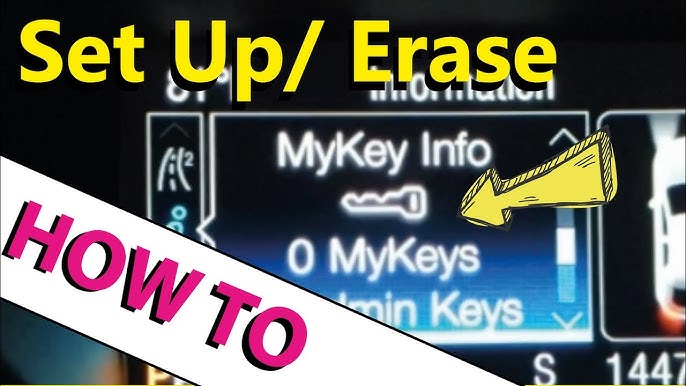
 park brake maintenance mode f150” style=”max-width: 100%; height: auto; border-radius: 8px; box-shadow: 0 4px 12px rgba(0,0,0,0.15);” />
Visual guide about how to off park brake maintenance mode f150
Image source: i.ytimg.com
Before diving into the how-to, let’s clarify what park brake maintenance mode actually is. On modern Ford F150s (typically 2015 and newer with electronic parking brakes), the system is electronically controlled. When technicians—or DIYers—service the rear brakes, the system detects that the brake components have been disturbed.
To prevent the electronic parking brake from accidentally engaging while the wheels are off or the calipers are open, Ford designed a maintenance mode. This mode:
– Disables automatic parking brake engagement
– Prevents the brake from releasing automatically when you shift into Drive
– Triggers a warning message like “Park Brake Service Required” or “Service AdvanceTrac”
– May illuminate the brake warning light on the dashboard
Once maintenance is complete, you must manually turn off park brake maintenance mode to restore normal operation. Skipping this step means your truck won’t use the parking brake correctly, which could lead to safety risks—especially on hills.
When Should You Turn Off Maintenance Mode?

Visual guide about how to off park brake maintenance mode f150
Image source: i.ytimg.com
You should reset the park brake system after any of the following services:
– Replacing rear brake pads or rotors
– Adjusting or replacing the parking brake cables
– Removing or reinstalling the rear calipers
– Performing a brake fluid flush that involves opening the rear brake lines
– Any repair that required disconnecting the parking brake motor or sensors
Even if you didn’t physically touch the parking brake, some procedures—like removing the rear wheels for tire rotation—can trigger the system if the brake was disengaged improperly.
Pro Tip: If you’re unsure whether maintenance mode was activated, check your dashboard. A persistent brake warning light or a message about the parking brake is a clear sign.
Tools and Safety Precautions

Visual guide about how to off park brake maintenance mode f150
Image source: i.ytimg.com
The good news? You don’t need any special tools to turn off park brake maintenance mode on your F150. It’s all done through the vehicle’s onboard controls. However, safety should always come first.
What You’ll Need
- Your Ford F150 (obviously!)
- Ignition key or push-button start
- A flat, level surface to work on
- Wheel chocks (optional but recommended)
Safety First
– Always park on a level surface. Avoid hills or slopes.
– Turn off the engine and remove the key (or ensure the vehicle is off).
– Apply the regular foot brake before starting the procedure.
– Use wheel chocks behind the rear tires if you’re working on an incline.
– Never rely solely on the parking brake to hold the vehicle during service.
Safety isn’t just about avoiding accidents—it’s also about protecting your truck’s sensitive electronics. Rushing through the reset can lead to error messages or incomplete resets.
Step-by-Step Guide to Turn Off Park Brake Maintenance Mode
Now, let’s get to the main event. Follow these steps carefully to reset your F150’s parking brake system. This procedure works for most 2015–2024 Ford F150 models with electronic parking brakes. If you have an older model with a manual parking brake, this process doesn’t apply.
Step 1: Prepare Your Vehicle
Make sure your truck is parked on a flat, level surface. Turn off the engine and ensure the transmission is in Park (P). Press the foot brake pedal firmly—this is important for the reset sequence.
Step 2: Turn the Ignition to the “On” Position
Insert your key and turn it to the “On” position (but don’t start the engine). If your F150 has a push-button start, press the Start button once without pressing the brake pedal. You should see the dashboard lights illuminate, including the warning indicators.
Step 3: Press and Hold the Brake Pedal
Keep your foot firmly on the brake pedal. This tells the system you’re ready to begin the reset.
Step 4: Activate the Parking Brake Switch
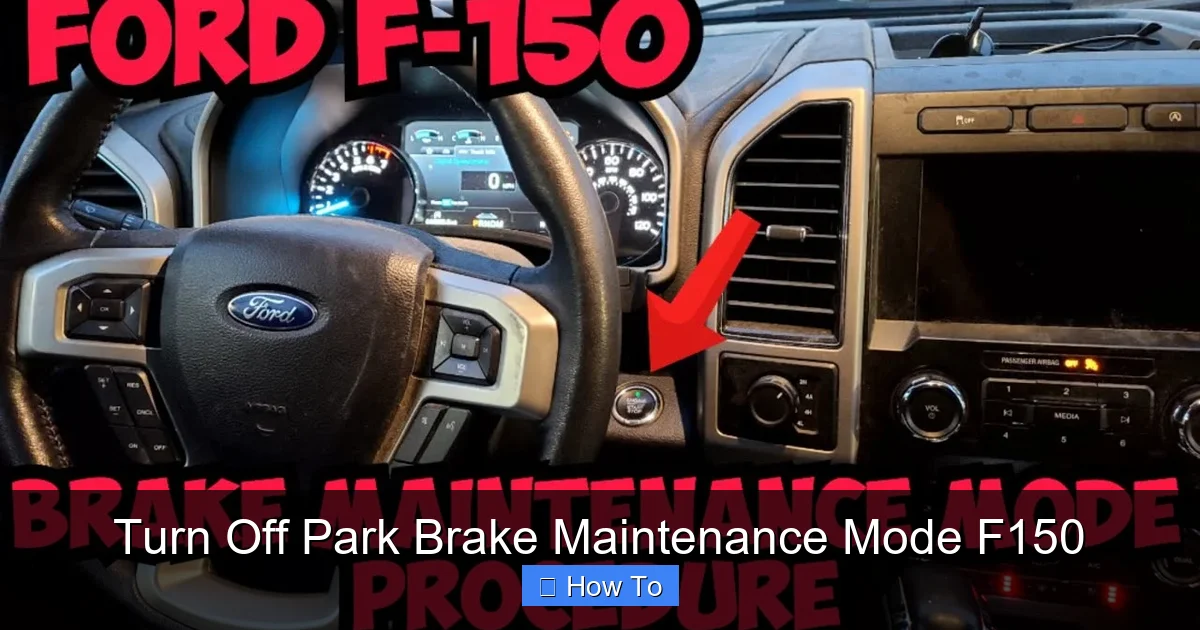
Locate the electronic parking brake switch, usually found on the center console near the gear shifter. It’s a button with a symbol that looks like a capital “P” inside a horseshoe.
While holding the brake pedal down, press and hold the parking brake switch for about 5 seconds. You should see the parking brake indicator light on the dashboard flash or change behavior.
Step 5: Release the Switch and Pedal
After holding the switch for 5 seconds, release both the parking brake switch and the brake pedal. Wait about 10 seconds. During this time, the system is communicating with the brake control module.
Step 6: Turn the Ignition Off
Turn the key back to the “Off” position (or press the Start button again to turn off the ignition). Wait another 10 seconds. This allows the system to fully reset.
Step 7: Restart the Vehicle
Turn the ignition back to the “On” position (or press the Start button with your foot on the brake to start the engine). Check the dashboard. The brake warning light and any maintenance messages should be gone.
If the lights are off and the system behaves normally, the reset was successful.
Testing the Parking Brake After Reset
Don’t just assume it worked—test it! Here’s how to verify that your parking brake is functioning correctly.
Test 1: Dashboard Indicators
With the engine running, press the parking brake switch. The dashboard should show the parking brake engaged (usually a red “P” light). Release the switch, and the light should go off. If it stays on or flashes, there may be an issue.
Test 2: Manual Engagement
Find a safe, flat area—like an empty parking lot. Come to a complete stop, shift into Park, and engage the parking brake using the switch. The vehicle should hold firmly. Try gently pressing the accelerator; the truck shouldn’t move.
Test 3: Hill Test (Optional but Recommended)
If possible, test the parking brake on a mild incline. Engage the brake, shift into Neutral, and release the foot brake. The truck should remain stationary. This confirms the mechanical and electronic systems are working together.
Pro Tip: If the parking brake feels weak or doesn’t hold, you may need to adjust the brake cables or have the system inspected. Maintenance mode reset won’t fix mechanical issues.
Troubleshooting Common Issues
Sometimes, the reset doesn’t work the first time. Here are common problems and how to fix them.
Problem: Warning Light Still On
If the brake warning light remains after the reset, try the procedure again. Make sure you:
– Held the brake pedal the entire time
– Pressed the parking brake switch for a full 5 seconds
– Waited the full 10 seconds between steps
If it still doesn’t work, the system may need a second reset cycle.
Problem: “Service AdvanceTrac” Message
This message often appears alongside parking brake warnings. It’s related to the stability control system. Try turning the ignition off for 30 seconds, then repeat the reset procedure. If the message persists, there may be a sensor or wiring issue.
Problem: Parking Brake Won’t Engage or Release
This could indicate a mechanical problem—like a seized caliper or broken cable—or an electrical fault. If the reset doesn’t resolve it, consult a Ford technician. Forcing the system can cause damage.
Problem: Reset Works, But Light Returns After Driving
If the warning light comes back after a short drive, the system may detect a real issue—such as worn brake pads or low brake fluid. Check your brake fluid level and inspect the rear brakes for wear.
Tips for DIY Mechanics
If you’re doing your own brake work, here are some extra tips to make the process smoother:
– Reset before reassembling: If you’re replacing pads, consider resetting maintenance mode before putting the wheels back on. This lets you test the system without rolling the truck.
– Use a scan tool (optional): Advanced users can use an OBD2 scanner with Ford-specific software to reset the system. This is helpful if the manual method fails.
– Keep the battery connected: Avoid disconnecting the battery during brake work unless necessary. Power loss can complicate electronic resets.
– Document your work: Note what you did and when. This helps if you need to troubleshoot later or sell the truck.
When to See a Professional
While most F150 owners can reset maintenance mode at home, some situations call for a professional:
– The reset procedure fails multiple times
– You notice grinding, clicking, or unusual noises from the rear brakes
– The parking brake feels loose or doesn’t hold
– You’re uncomfortable working with brake systems
Brake systems are critical for safety. If you’re unsure, it’s always better to consult a certified Ford technician.
Conclusion
Turning off park brake maintenance mode on your Ford F150 is a simple but essential step after any rear brake service. By following the correct procedure—holding the brake pedal, pressing the parking brake switch, and cycling the ignition—you can restore full functionality and eliminate annoying warning lights.
Remember: safety first, patience second, and testing third. Always verify that your parking brake works properly before driving, especially on hills.
With this guide, you’re equipped to handle the reset confidently. Whether you’re a seasoned DIYer or tackling your first brake job, knowing how to turn off park brake maintenance mode ensures your F150 stays safe, reliable, and road-ready.
Related posts:
 How Do Ball Joints Work: A Comprehensive Guide
 How Do I Know If My Clutch Cable Has Gone
 Can Spark Plugs Really Break Glass
 How Big of Tires Can I Fit on My F150? A Comprehensive Guide
 How Can I Protect My Windshield From Rock
 How Do Spark Plugs Break Windows
 How Far Can I Drive With A Bad Alternator
 How Far Can I Drive With A Blown Water Pump
 How Far Can I Drive With A Broken Serpentine Belt
 How Far Can You Drive With A Dead Battery
 How Far Can You Drive Without An Alternator
 How To Put Down Nissan Altima Back Seats