How to Reset Backup Camera on Ford F150 (By Year & SYNC)
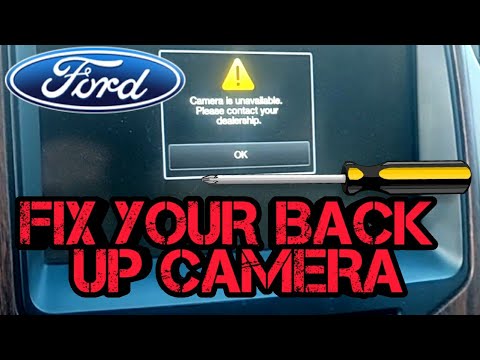
To reset the backup camera on a Ford F-150, start with the simplest fix: a soft reset of the SYNC system. If that does not work, pull the backup camera fuse, and as a last resort disconnect the battery for a hard reset. The exact fuse number and location depend on your truck’s generation, so check the fuse tables below before you start pulling anything.
If the issue persists, refer to the instruction manual for troubleshooting options or consult a professional.

Methods To Reset Backup Camera
To reset the backup camera on a Ford F150, work through the methods in order of effort: soft reset the SYNC system, pull and reinsert the backup camera fuse, then disconnect the battery for a full hard reset. If none of those restore the camera, the problem is likely hardware rather than software, and the troubleshooting section below will help you tell the difference.
If your Ford F150’s backup camera is malfunctioning, there are several methods you can try to reset it and get it working again. This section covers the three resets that fix most cases: a soft reset through the touchscreen, a fuse pull reset, and a battery disconnect hard reset. Each one takes only a few minutes and costs nothing to try.
Resetting The Backup Camera By Replacing the Blown Fuse
If your backup camera is not functioning properly, a blown fuse could be the culprit. To reset the backup camera by replacing a blown fuse, follow these steps:
- Locate the fusebox in your Ford F150.
- Find the backup camera fuse in the fusebox.
- Remove the blown fuse.
- Insert a new fuse of the same rating into the fusebox.
Replacing the blown fuse should reset the backup camera and restore its functionality. If the issue persists, you may need to try the other methods discussed below.
Running A Complete Diagnostic Check
To troubleshoot a backup camera issue, you can run a complete diagnostic check by ensuring that all the connections are in place and appropriately tightened. Follow these steps:
- Check the camera lens for dirt, water spots, or a cracked housing.
- Inspect the wiring harness at the tailgate and the connector behind the camera for corrosion or a loose plug.
- Confirm the display shows other SYNC screens normally — if the whole screen is dead, the fault is not the camera.
- Look for stored codes with a scan tool or FORScan before replacing parts.
- If everything checks out and the camera still fails, the camera module itself is the likely culprit.
By performing a complete diagnostic check, you can identify and potentially resolve any underlying issues affecting your backup camera’s functionality.
Resetting Lin Via Forscan Or Forscan Lite
For more advanced troubleshooting, you can reset the LIN (Local Interconnect Network) of your Ford F150’s backup camera using FORScan or FORScan Lite. Here’s how:
- Download and install FORScan or FORScan Lite on your computer or phone.
- Connect an OBD-II adapter to the truck’s diagnostic port.
- Launch the software and let it detect your vehicle.
- Open the module list and select the backup camera or image processing module.
- Choose the option to reset the LIN or clear LIN fault codes.
- Follow the on-screen prompts and let the module reboot.
Resetting LIN via FORScan or FORScan Lite can help resolve communication issues between the camera and other components of your Ford F150. However, it is recommended to proceed with caution and consult the software documentation or seek professional advice if you are unsure.
By trying these three methods – replacing a blown fuse, running a complete diagnostic check, and resetting LIN via FORScan or FORScan Lite – you have a good chance of resetting your Ford F150’s backup camera and getting it back to working condition, ensuring safe and stress-free reverse maneuvers.
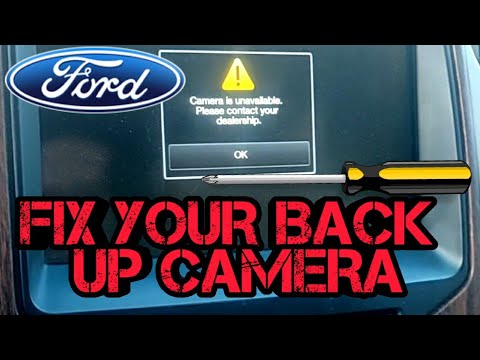
Step-by-step Guide To Reset Backup Camera
To reset the backup camera on a Ford F150, start with the soft reset through the touchscreen, then move to the fuse pull, and finally the battery disconnect if the first two fail. The steps below walk through each method in order, along with what each one actually resets.
Resetting The Backup Camera By Replacing the Blown Fuse
If your Ford F150’s backup camera is not functioning properly and you suspect a blown fuse, don’t worry, because resetting it is quite simple. All you need to do is locate the backup camera fuse in the fusebox and replace it. Here’s a step-by-step guide to help you:
- Turn off the truck and make sure the ignition is in the OFF position.
- Locate the fuse box — under the hood or in the passenger compartment, depending on your model year.
- Open the fuse box and use the diagram on the lid or in the owner’s manual to find the backup camera fuse.
- Use a fuse puller or needle-nose pliers to remove the fuse and check whether the element is broken.
- Replace a blown fuse with one of the same amperage, or reinsert the original firmly if it is intact.
- Start the truck and shift into reverse to test the camera.
Running A Complete Diagnostic Check
If replacing the blown fuse doesn’t resolve the issue with your Ford F150’s backup camera, it’s time to run a complete diagnostic check. This will help identify any underlying problems that may be affecting the camera’s functionality. Follow these steps:
- Refer to the instruction manual that came with your backup camera. It should contain a detailed user guide with troubleshooting options for different situations.
- Inspect all the connections between the backup camera and the truck’s wiring system. Ensure that they are securely connected and tightened.
- If you notice any loose or damaged connections, repair or replace them as necessary.
- Check the camera’s power source and make sure it is properly connected and supplying the required voltage.
- If you still can’t identify the problem, consider consulting a professional technician or contacting the manufacturer for further assistance.
Resetting Lin Via Forscan Or Forscan Lite
In some cases, you may need to reset the Local Interconnect Network (LIN) to restore the proper functioning of your Ford F150’s backup camera. Here’s how you can do it using FORScan or FORScan lite:
- Download and install FORScan or FORScan lite on your computer or mobile device.
- Connect your computer or device to your Ford F150 using an OBD-II adapter.
- Launch FORScan or FORScan lite and select your vehicle’s make and model.
- Follow the on-screen instructions to establish a connection with your vehicle.
- Navigate to the LIN configuration menu and locate the option to reset the LIN.
- Select the reset option and follow any additional prompts to complete the process.
- Once the LIN is successfully reset, test your backup camera to ensure it is working properly.
By following these step-by-step instructions, you can reset your Ford F150’s backup camera and get it functioning properly again. If you encounter any difficulties or the issue persists, it is recommended to seek professional assistance for further troubleshooting and repair.
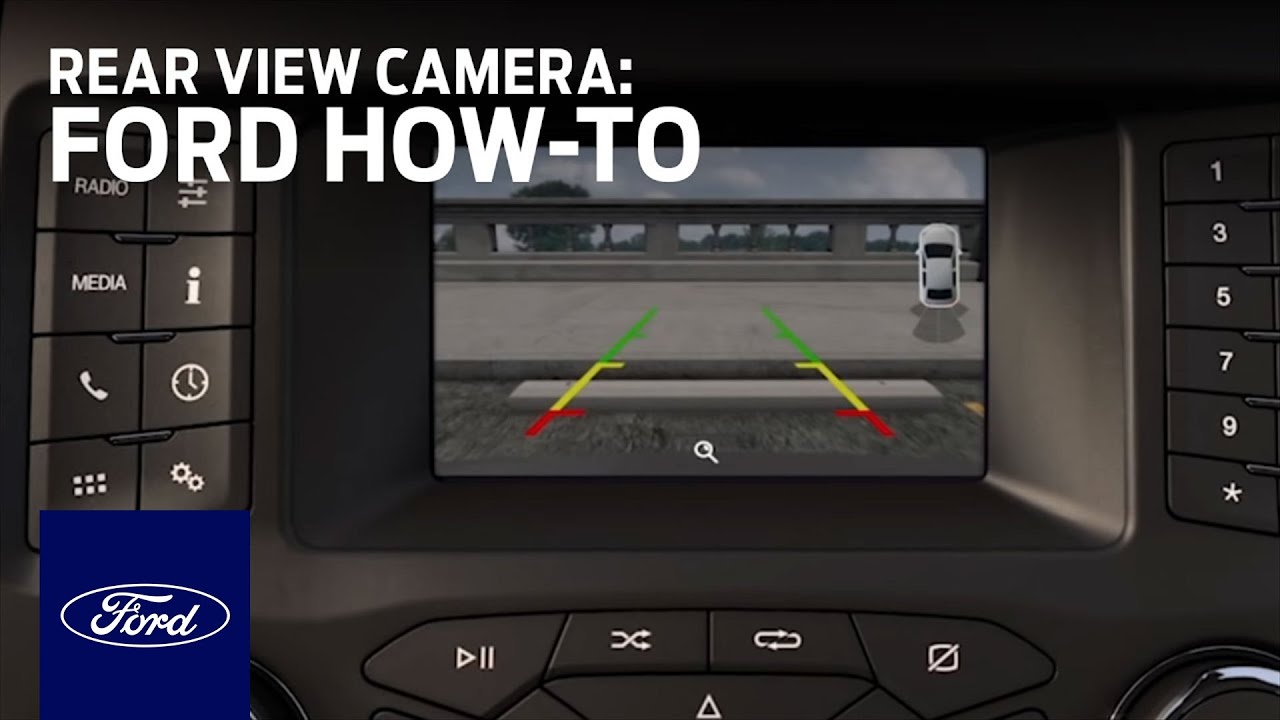
Frequently Asked Questions Of How To Reset Backup Camera On Ford F150
How Do I Reset My Ford Backup Camera?
To reset your Ford backup camera, try a soft reset first by rebooting the SYNC system through the touchscreen settings. If that does not work, pull the backup camera fuse and reinsert it, or replace it if it is blown. A battery disconnect is the last software-level reset to try before moving on to hardware checks.
Why Is My 2014 Ford F150 Backup Camera Not Working?
If your 2014 Ford F150 backup camera is not working, check the backup camera fuse first, since a blown fuse is the most common cause on that generation. If the fuse is fine, inspect the tailgate wiring harness and the camera connector for corrosion or damage, then test the camera with a scan tool. A 2014 model predates SYNC 3, so touchscreen resets work differently than on newer trucks.
How Do I Clear My Reverse Camera?
To clear your reverse camera, first check if the issue is caused by a blown fuse. Locate the backup camera fuse in the fusebox and replace it if necessary. If the problem persists, refer to the instruction manual provided with your camera for troubleshooting options.
How Do I Troubleshoot My Backup Camera?
To troubleshoot your backup camera: 1. Clean the lens and check for physical damage. 2. Inspect all connections and make sure they are secure. 3. Pull and reseat the backup camera fuse, replacing it if blown. 4. Reset the LIN via FORScan or FORScan Lite if you have an adapter. 5. If the problem persists, consult a professional or contact the manufacturer for further assistance.
5. If the problem persists, consult a professional or contact the manufacturer for further assistance.
DIY vs Dealer: Cost, Time, and Safety
The resets in this guide cost nothing but your time — a soft reset takes under a minute, a fuse pull takes about five minutes, and a battery disconnect takes fifteen to twenty minutes plus the time to reset your radio presets and clock afterward. If the camera needs replacing, a DIY job on most F-150s involves removing the tailgate panel and swapping the camera module, which is a moderate job for a confident home mechanic. A dealer or independent shop will charge for diagnosis plus parts and labor, and prices vary widely by region, so call ahead for a quote. One safety note: a backup camera is a required safety aid on newer vehicles, and driving with a non-functioning camera means relying on mirrors and a spotter. If your truck is under warranty or the camera is part of a safety recall, have the dealer handle it rather than voiding coverage with a DIY repair.
Conclusion
To conclude, troubleshooting and resetting the backup camera on your Ford F150 can be a simple task. By checking the fusebox for a blown fuse and replacing it if necessary, you can easily resolve any issues with the camera. Additionally, running a diagnostic check and referring to the user manual for troubleshooting options can provide further solutions.
Remember, it is essential to ensure all connections are intact and properly tightened. With these steps, you can get your backup camera functioning again in no time.
Related posts:
 How Far Can You Drive Without an Alternator? Real Distances
 What Color Is Avalanche for Ford? The Definitive 2026 Guide
 How to Replace Rear Sliding Window Ford F150: The Ultimate Guide
 How Many O2 Sensors Does a Ford F150 Have
 What is 4A on F150: Unleashing the Power of 4A in Your Ford F150
 What Are Cam Phasers F150
How Much is a Windshield for a Ford F150: Find the Best Price Now!
What Are Cam Phasers F150
How Much is a Windshield for a Ford F150: Find the Best Price Now!
 Best Aftermarket Radio For 2013 Ford F150: Expert Picks
 Best Floor Jack for F150
 How to Get a Spare Tire off a Ford F150
 5 Best Ford F150 Bed Covers: Expert Picks & Quality Tested
 Best Tuners for Ford F150 EcoBoost to Boost Performance