How To Take Apart Ford F150 Key Fob: Pry It Open
Have you ever wondered how to peek inside your Ford F-150 key fob? Maybe the battery died, or a button stopped working. Knowing how to open it up can save you a trip to the dealer and some cash!
This guide will walk you through each step, making it super simple to understand. We’ll share expert tips so you can confidently take apart your F-150 key fob for battery changes, cleaning, or even just curiosity. You’ll feel like a pro in no time!
Get ready to learn all the secrets of your F-150 key fob. We’ll cover everything from the right tools to special tricks for different models, making sure you have all the info you need. It’s easier than you think!
Key Takeaways
- Opening Your Fob: Most 2015-2024 Ford F-150 key fobs can be opened by gently prying along a seam with a small flathead screwdriver.
- Lariat Fobs Are Special: If you have a Lariat key fob, its faceplate pops off first, giving you access to the inside.
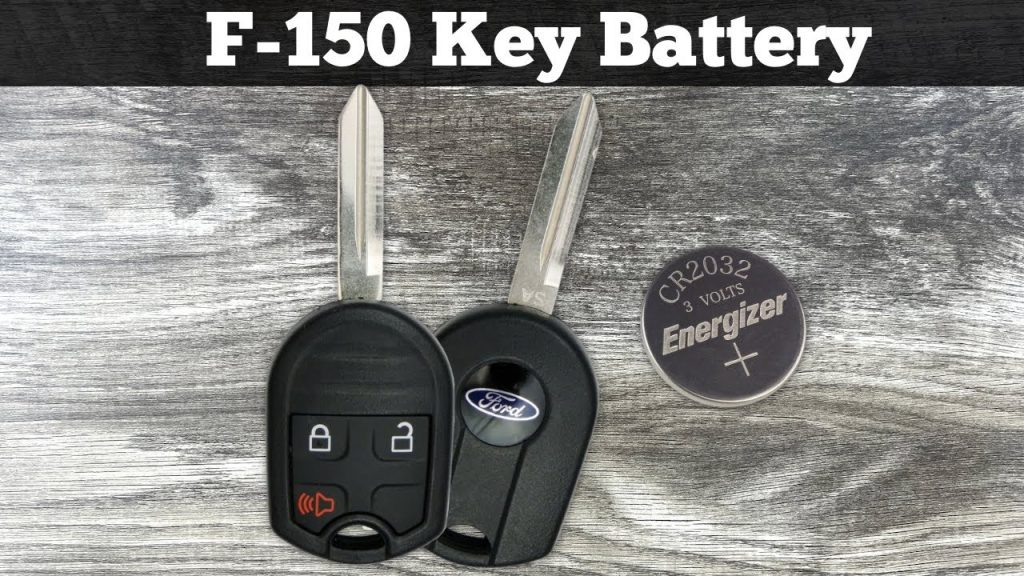
- Battery Type: The common battery needed for F-150 key fobs is a CR2032 coin battery.
- Common Reasons: People usually open their fobs to replace a dead battery, clean them after getting wet, or try to fix a sticky button.
- Be Gentle: Always use light pressure when prying to avoid damaging the plastic casing or internal parts.
- Repair vs. Replace: For major damage, like a broken button, sometimes getting a new fob is easier than repairing the old one.
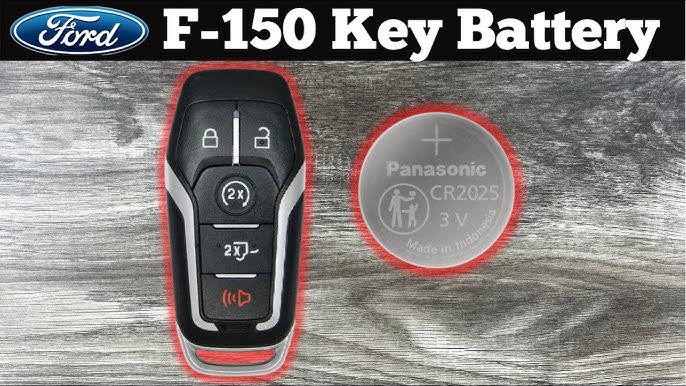
Why Would You Take Apart Your F-150 Key Fob?
There are a few good reasons why you might want to open up your Ford F-150 key fob. It’s not just for car mechanics anymore; many drivers do it themselves. It can be a quick and easy fix for common problems.
Understanding these reasons can help you decide if taking apart your fob is the right move for you. It’s usually a simple process that anyone can do. Let’s look at the main reasons.
The Most Common Reason: Battery Replacement
This is by far the biggest reason people open their key fobs. Over time, the small battery inside runs out of juice. When this happens, your remote start might stop working, or your unlock button might stop responding.
Most 2015-2024 Ford F-150 key fobs use a CR2032 coin battery. Replacing it yourself is much cheaper than having a dealership do it. It only takes a few minutes once you know how to open the fob.
Fixing a Sticky Button or Damage
Sometimes, a button on your fob might get stuck or stop working properly. This could be due to dirt, grime, or a small misalignment inside. Opening the fob lets you inspect the buttons and clean them.
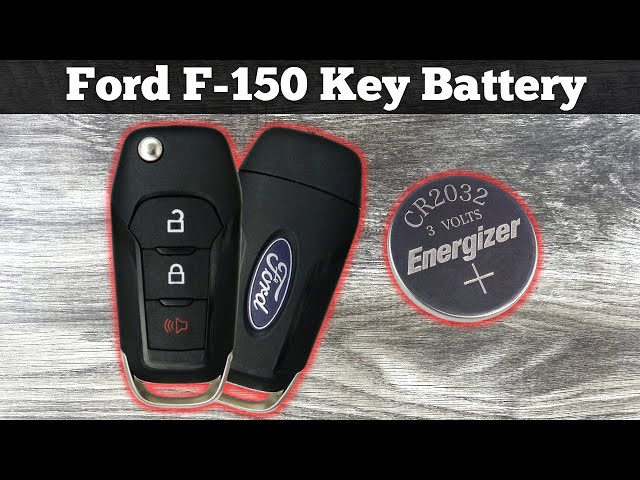
However, if a button is truly broken, like physically snapped, a repair might be tricky. In some cases, a new fob might be a better solution than trying to fix a damaged one. Some fobs are tightly pressed or even glued.
Cleaning After an Accidental Wash
Oops! Did your key fob accidentally go through the washing machine? Don’t panic just yet. If it still works, opening it up can help you dry out the insides completely.
This can prevent long-term damage from moisture. Just make sure to disconnect the battery and let all parts air dry thoroughly before putting it back together. This might save your fob from an early demise.
Customizing Your Fob Shell
Some folks like to personalize their F-150 key fobs. This might involve replacing the outer shell with a different color or material. To do this, you’ll need to disassemble the original fob.
This is a fun way to make your fob unique. Just be sure to find a shell that’s made for your specific F-150 model year. A quick search online can show you many cool options.
Tools You’ll Need for the Job
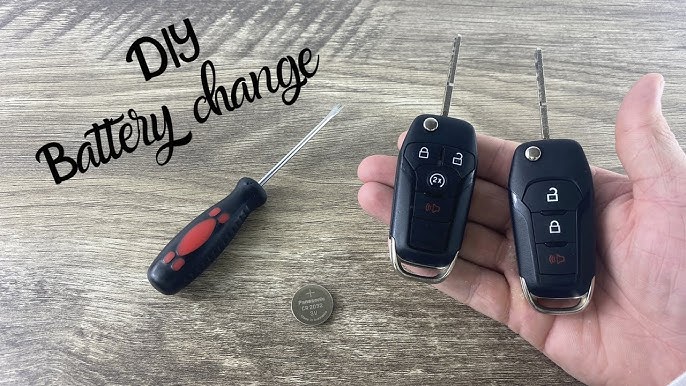
Before you start, gather a few simple tools. You probably have most of these lying around your house already. Having them ready makes the process smooth and easy.
You won’t need anything fancy or expensive. Just a couple of small items will do the trick. Let’s make sure you’re prepared.
The most important tool is a small, flathead screwdriver. It needs to be tiny enough to fit into small seams without causing damage. Jewelers’ screwdrivers or those found in eyeglass repair kits work perfectly.
If you’re replacing the battery, you’ll also need a new CR2032 coin battery. You can usually find these at electronics stores, pharmacies, or online. Always have a fresh one on hand before you start.
Step-by-Step: How to Open a Standard F-150 Key Fob
Alright, let’s get down to business! This part will guide you through opening a typical Ford F-150 key fob. Remember to be gentle and take your time.
This process is straightforward, but patience is key. You don’t want to force anything and break your fob. Follow these steps carefully.
Locating the Seam and Pry Points
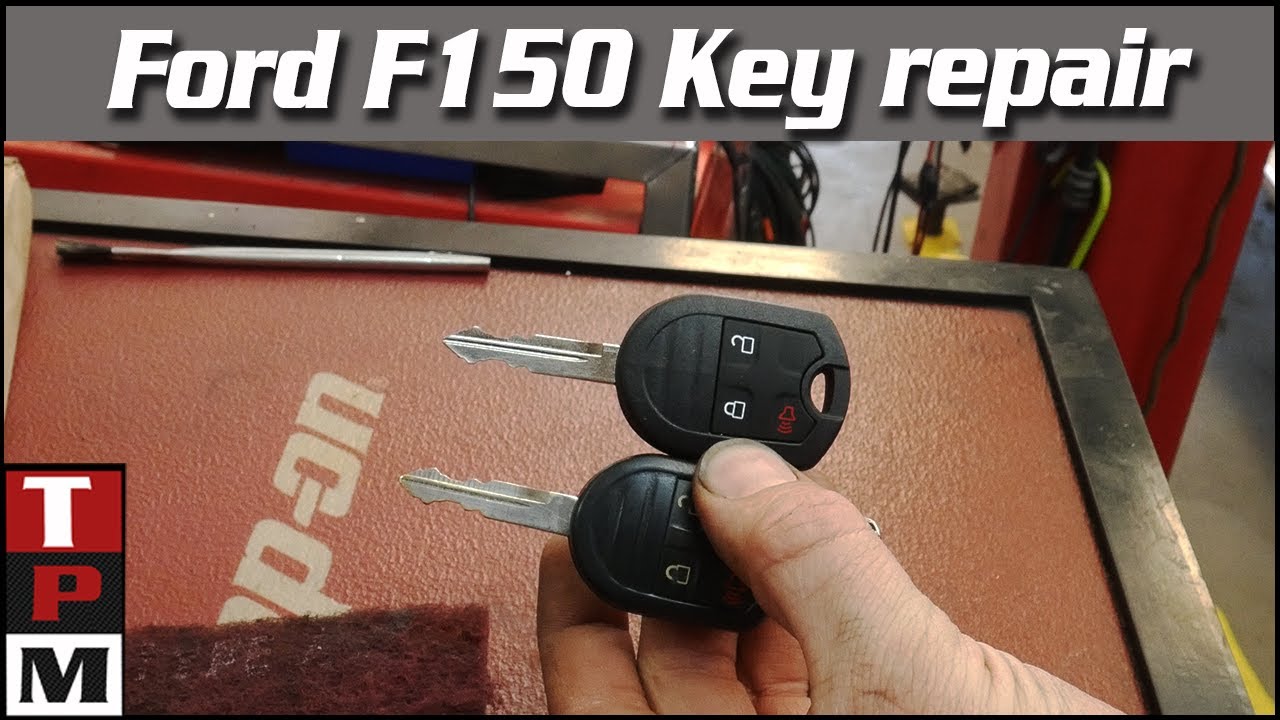
First, look closely at your key fob. You’ll notice a thin seam running around the edge where the two halves meet. This is where you’ll be praying. Some fobs also have small notches or slots designed for this purpose.
For many F-150 smart keys from 2015 onwards, you’ll see these small slots. They are usually located near the bottom or sides of the fob. These are your target areas for the screwdriver.
Gently Prying the Fob Open
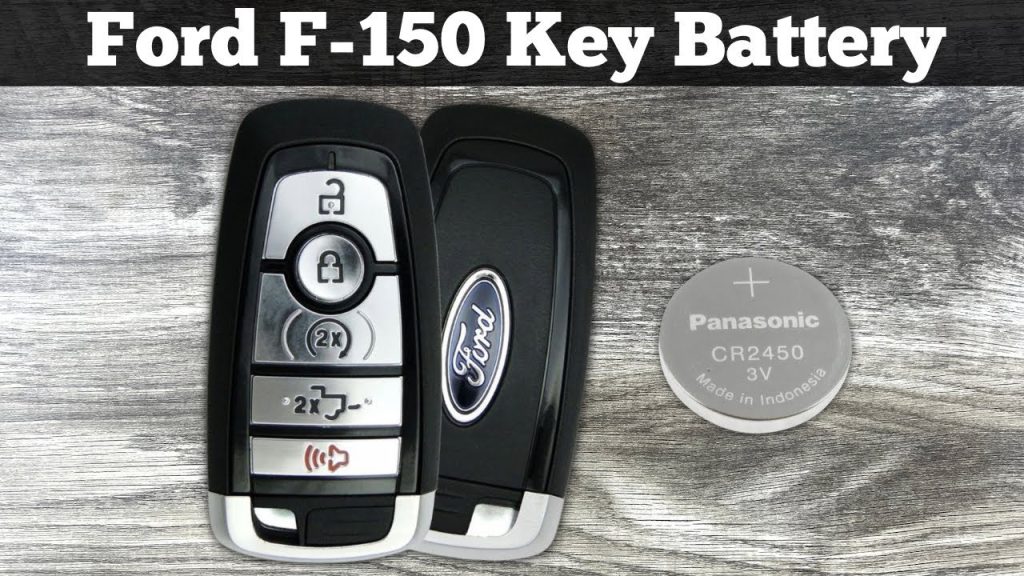
Take your small flathead screwdriver and carefully insert the tip into one of the designated slots or along the seam. Apply gentle pressure and twist the screwdriver slightly. You should hear a small click as the plastic clips begin to release.
Work your way around the seam, prying gently as you go. The two halves of the fob should gradually separate. Avoid using too much force, as this can crack the plastic casing.
Special Notes for Lariat and Smart Keys (2015-2024 Models)
While the general idea is the same, some F-150 key fobs have a slightly different design. The Lariat key fob is a great example of this. Knowing these differences helps a lot.
This specific information can save you from frustration and potential damage. Always check your fob’s exact design before you start prying.
For Ford F-150 Lariat key fobs, the front faceplate is designed to pop off first. Instead of prying the entire fob in half, you’ll focus on removing this front piece. It’s a slightly different approach, but still very simple.
You’ll still use your tiny screwdriver. Gently pry with the screwdriver in the two small slots you find on the Lariat key fob. Once the faceplate is off, you’ll have access to the internals, including the battery.
Replacing the Battery (CR2032)
Once your key fob is open, replacing the battery is the next easy step. This is often the main goal of taking the fob apart. Make sure you have your new CR2032 battery ready.
This process is quick and simple. Just be careful with the small parts inside.
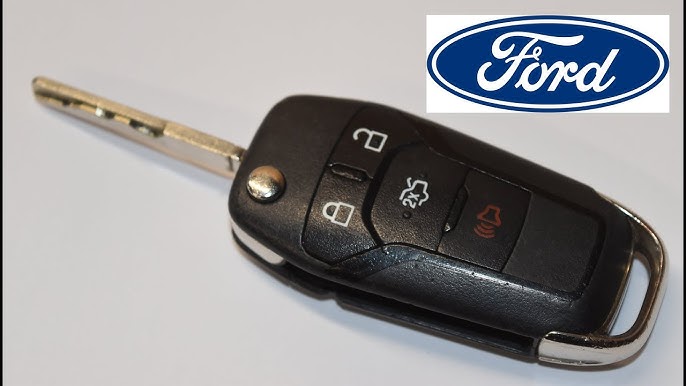
You’ll see the old coin battery sitting in its compartment. Note which way the battery is facing (usually the positive side, marked with a “+” or text, faces up). Use your small screwdriver or a fingernail to gently lift out the old battery.
Pop the new CR2032 battery into place, making sure it’s oriented the same way as the old one. It should fit snugly. Once the new battery is in, you’re ready to put your fob back together.
Reassembling Your F-150 Key Fob
Putting your key fob back together is even easier than taking it apart. It usually just involves snapping the pieces back into place. Double-check everything before you seal it up.
You want to make sure all the buttons are aligned correctly. This ensures your fob works perfectly once it’s closed.
Carefully align the two halves of the key fob (or the faceplate and the main body for Lariat models). Press them together firmly until you hear and feel the clips snap back into place. Work your way around the edges to ensure a tight seal.
Once it’s closed, test all the buttons to make sure they click properly. Also, try locking and unlocking your truck to confirm the new battery is working. You should be good to go!
What If Your Fob is Glued or Won’t Open Easily?
Sometimes, you might encounter a key fob that seems extra stubborn. Some older or specific models might have a very tight fit, or in rare cases, parts could be lightly glued. This can make opening them a challenge.
If you’re struggling, don’t force it too much. Applying too much pressure can crack the plastic or damage the internal electronics. There are limits to what a DIY approach can fix.
If your fob feels like it’s glued or simply won’t budge after gentle prying, it might be time to consider other options. For significant damage or a completely unresponsive fob, a professional might be needed. Sometimes, getting a new replacement fob is actually the most cost-effective and least frustrating solution, especially if you’re trying to fix a broken button.
Troubleshooting Common Fob Issues
After you’ve taken apart and reassembled your key fob, you might run into a few small issues. Don’t worry, many of these are easy to fix. A quick check can often solve the problem.
It’s helpful to know what to look for if your fob isn’t working as expected. These tips can save you a headache.
If your fob isn’t working after a battery change, first double-check the battery’s orientation. Make sure the positive (+) side is facing the correct way. Also, ensure the new battery is actually fresh and not dead.
Sometimes, the internal rubber pad for the buttons might not be perfectly aligned. Reopen the fob and gently adjust the pad so it sits correctly over the circuit board. Close it up and test again.
Frequently Asked Questions
Here are some common questions folks have about their Ford F-150 key fobs. Getting these answers can help you understand your fob better.
How do I know if my F-150 key fob battery is dead?
Typically, your remote functions, like locking, unlocking, or remote start, will stop working or become unreliable. You might also notice a message on your truck’s dashboard saying “Key Fob Battery Low.” This is a clear sign it’s time for a change.
Can I open my Ford F-150 key fob without damaging it?
Yes, absolutely! By using the right small tool, like a tiny flathead screwdriver, and applying gentle pressure along the designated seams, you can open it without causing damage. The key is to be patient and avoid forcing anything.
What kind of battery does a 2015-2024 Ford F-150 key fob use?
Most Ford F-150 key fobs from 2015 to 2024 use a CR2032 coin battery. You can usually find these at most electronics stores, supermarkets, or online retailers. It’s a very common type of battery.
My key fob went through the wash. Can I fix it by taking it apart?
Maybe! If your fob still works after getting wet, opening it up quickly to dry all the internal components can help prevent long-term damage. Just remove the battery, let everything air dry completely, and then reassemble.
Is it hard to put the F-150 key fob back together?
Not at all! Putting the fob back together is usually as simple as aligning the two halves (or the faceplate) and gently pressing them until they snap securely into place. Just make sure the internal components are correctly seated before closing it up.
What if a button on my key fob is broken? Can I repair it?
For a truly broken button, where the physical mechanism is damaged, repair can be difficult and might require soldering or specialized parts. In such cases, it might be more practical and reliable to replace the entire key fob with a new one.
Conclusion
There you have it! Taking apart your Ford F-150 key fob might have seemed tricky at first, but now you know it’s a straightforward task. Whether you need to swap out a dead battery, clean up after a spill, or are just curious about its insides, you’re ready.
Remember to always be gentle, use the right tools, and pay attention to how your specific fob is designed. This simple DIY skill can save you time and money. Now you’re a true F-150 key fob expert!
Go ahead and tackle that key fob project with confidence! You’ve got all the knowledge you need to get the job done right. Enjoy the satisfaction of fixing it yourself.
Related posts:
 How Do Ball Joints Work: A Comprehensive Guide
 How Do I Know If My Clutch Cable Has Gone
 Can Spark Plugs Really Break Glass
 How Big of Tires Can I Fit on My F150? A Comprehensive Guide
 How Can I Protect My Windshield From Rock
 How Do Spark Plugs Break Windows
 How Far Can I Drive With A Bad Alternator
 How Far Can I Drive With A Blown Water Pump
 How Far Can I Drive With A Broken Serpentine Belt
 How Far Can You Drive With A Dead Battery
 How Far Can You Drive Without An Alternator
 How To Put Down Nissan Altima Back Seats