How To Start Ford F150 With Key Fob: Unlock Your Ride
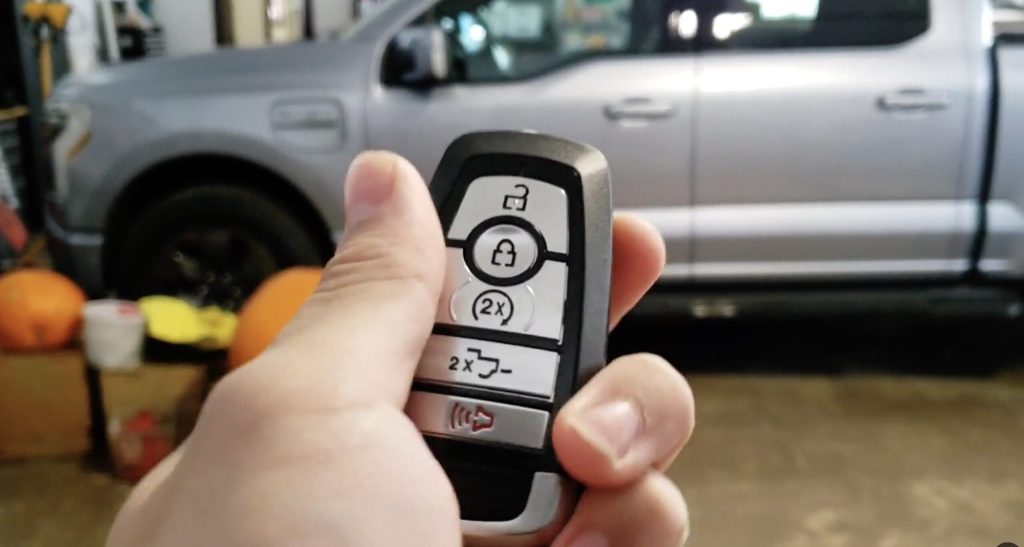
When the weather’s just right, or even when it’s not, hopping into a pre-warmed or pre-cooled Ford F-150 is a real treat. Most modern Ford F-150 key fobs with a remote start button require you to press the lock button once, then press the remote start button (often marked with a “2x” or a circular arrow) twice. This simple sequence gets your truck ready before you even step outside.
We’ve gathered all the best tips and tricks from real Ford F-150 owners and experts. This guide will make sure you can confidently use your key fob to remote start your truck, no matter the situation. We’ll cover everything from the basic steps to dealing with a dead key fob or using your phone.
Get ready to learn all the secrets to warming up your F-150, even if your key fob looks a little different! We’ll show you how to start your truck with ease, understand different key fob types, and troubleshoot common issues. It’s going to be super simple and fun to read!
Key Takeaways
* To remotely start most Ford F-150s with a dedicated button, press the lock button once, then press the “2x” or remote start button twice.
* Some older or specific F-150 models without a remote start button can still be started remotely using a “lock-unlock-lock” sequence within five seconds.
* The FordPass app offers remote start capabilities for many newer F-150s, allowing you to start your truck from your smartphone.
* If your key fob battery dies, you can often still start your F-150 by placing the fob in a specific backup location, like a cup holder or steering column.
* Ensure your F-150 is equipped with the remote start feature; not all models or trim levels include it from the factory.
* Always be aware of your surroundings and local regulations when using remote start, especially in enclosed spaces like garages.
Understanding Your Ford F-150 Key Fob
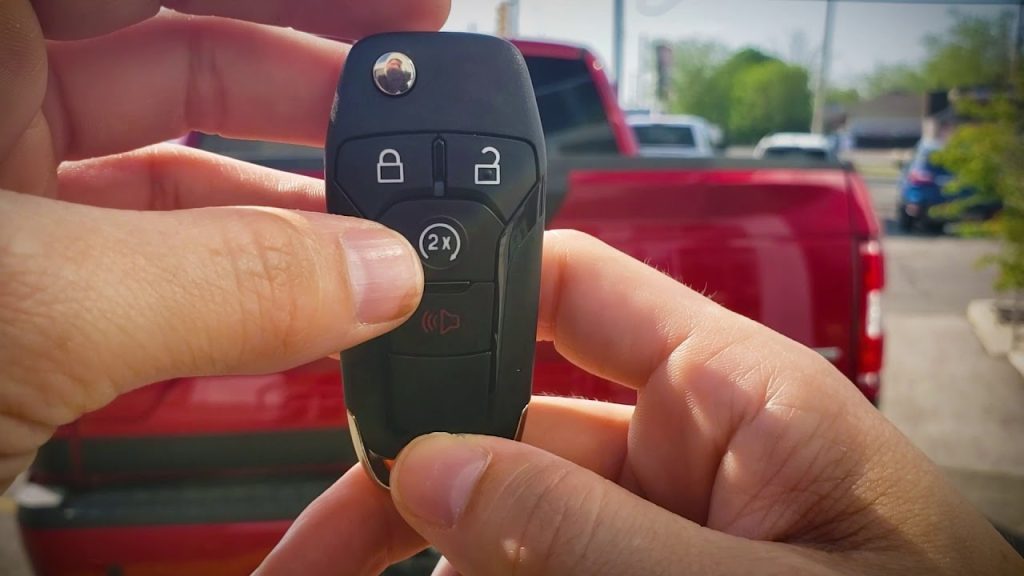
Your Ford F-150 key fob is a small but powerful tool that does more than just lock and unlock your doors. It holds the key to convenience, especially when it comes to remote starting your truck. Knowing what buttons you have is the first step.
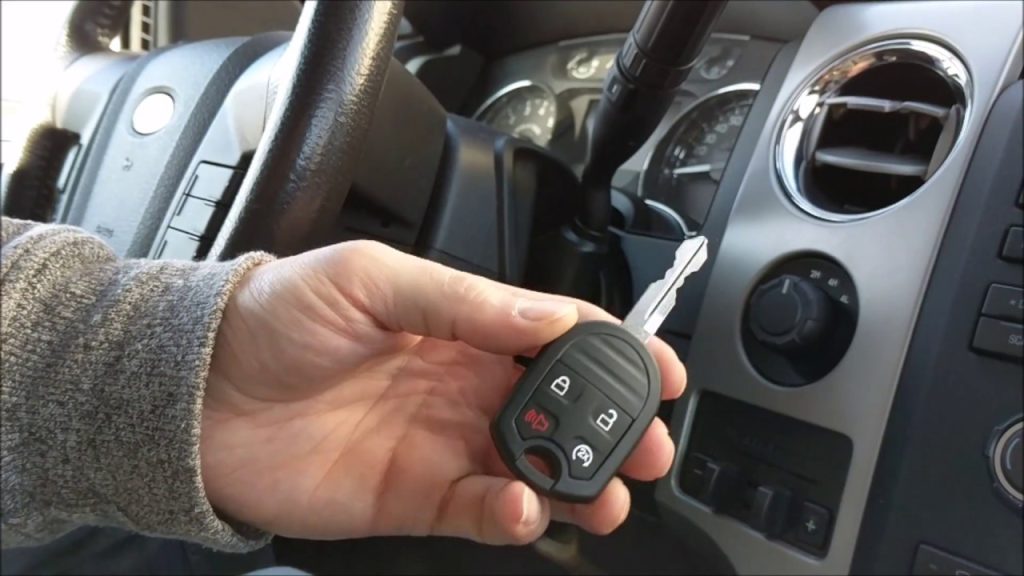
Most modern F-150 key fobs will have several buttons. You’ll typically see buttons for lock, unlock, panic, and tailgate release. Many also feature a specific button for remote start.
Identifying the Remote Start Button
Look closely at your key fob. The remote start button is usually easy to spot. It might have a “2x” symbol, meaning you press it twice.
Sometimes, it looks like a circular arrow or a symbol of a car with an arrow pointing around it. This button is your go-to for starting your truck from afar. If you see it, you’re in luck!
What if Your Fob Doesn’t Have a Remote Start Button?
Don’t worry if your key fob doesn’t have a clear remote start button. Some Ford F-150 models, even newer ones, might have the feature built in without a dedicated button on the fob. This is especially true for certain trim levels or older years.
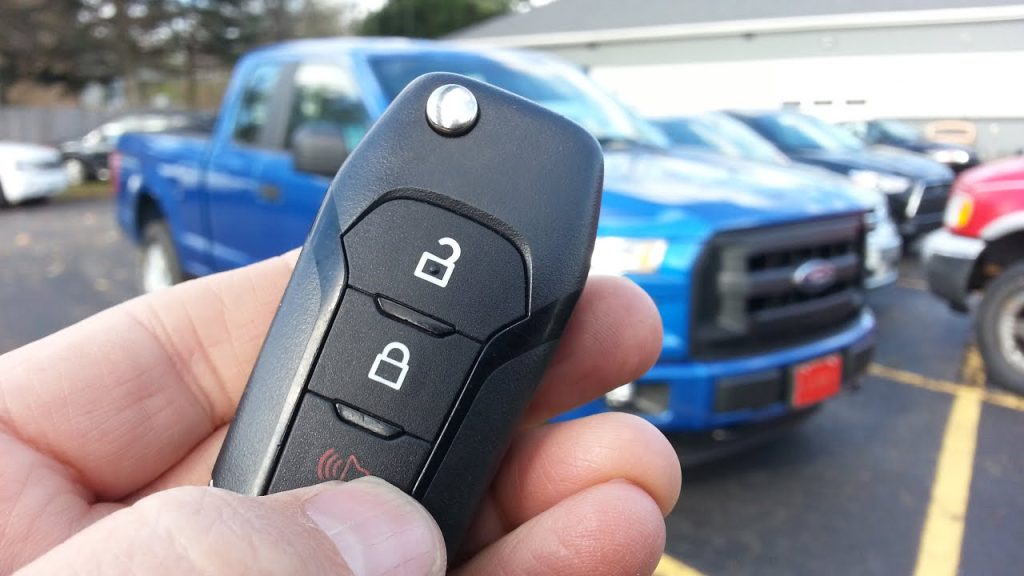
For example, a 2017 F250 XLT might have remote start even without the button. We’ll cover how to handle this situation in the next section. It’s a common question, and there’s often a simple trick to it.
Step-by-Step Guide to Remote Starting Your F-150
Remote starting your Ford F-150 with the key fob is usually a breeze. The exact steps can change a little depending on your truck’s year and key fob type. Let’s break it down into the most common ways.
Method 1: Using the “2x” or Dedicated Remote Start Button
This is the most common way to remote start if your key fob has a specific button for it. It’s super easy and quick.
First, make sure all your truck’s doors are closed. Your F-150 needs to be fully secured for the remote start to work. This is a safety feature built into the system.
Next, press the lock button on your key fob once. You should hear your truck’s doors lock or see the lights flash. This tells the truck you’re ready to start it.
Right after pressing the lock, press the remote start button twice. This button often has a “2x” symbol or a circular arrow. Press it two times quickly.
Your F-150’s exterior lights should flash twice, and then the engine will start. You’ll hear it roar to life, and the climate control will kick in. It’s that simple!
Method 2: Remote Starting Without a Dedicated Button (Lock-Unlock-Lock)
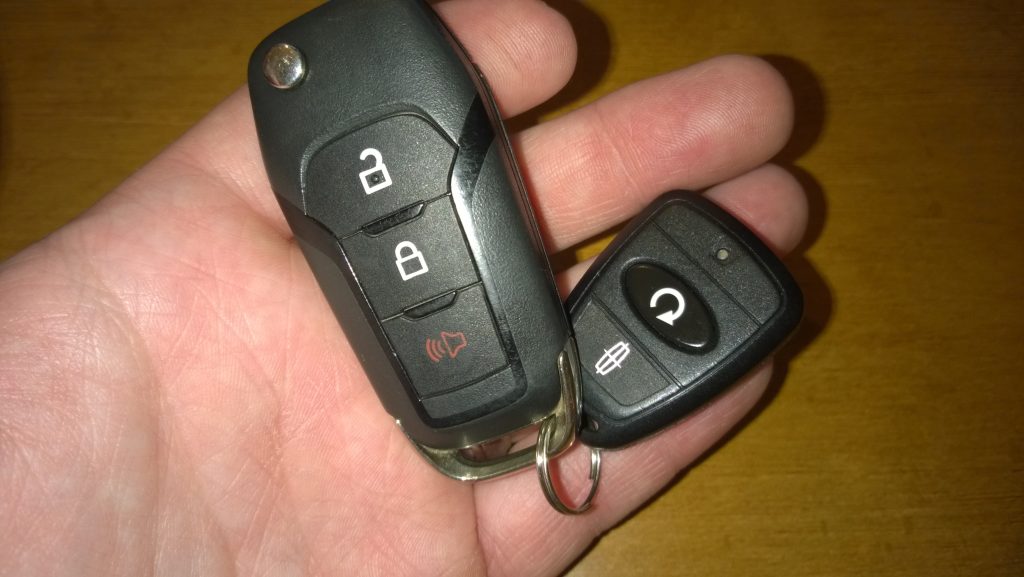
What if your key fob doesn’t have that special “2x” button? Don’t give up hope! Some Ford F-150 models, especially older ones or specific trims, still have remote start. They just use a different button sequence.
For these trucks, the sequence often involves the lock and unlock buttons. You need to do it fairly quickly, within about five seconds.
First, ensure your truck’s doors are closed and locked. Just like with the other method, this is a safety measure. The truck won’t start if a door is open.
Then, press the lock button once. Immediately after, press the unlock button once. Finish the sequence by pressing the lock button one more time.
So, the full sequence is: Lock, Unlock, Lock, all within five seconds. If done correctly, your truck should start. This is a neat trick for fobs without the dedicated button.
Advanced Remote Start Options: FordPass App and Beyond
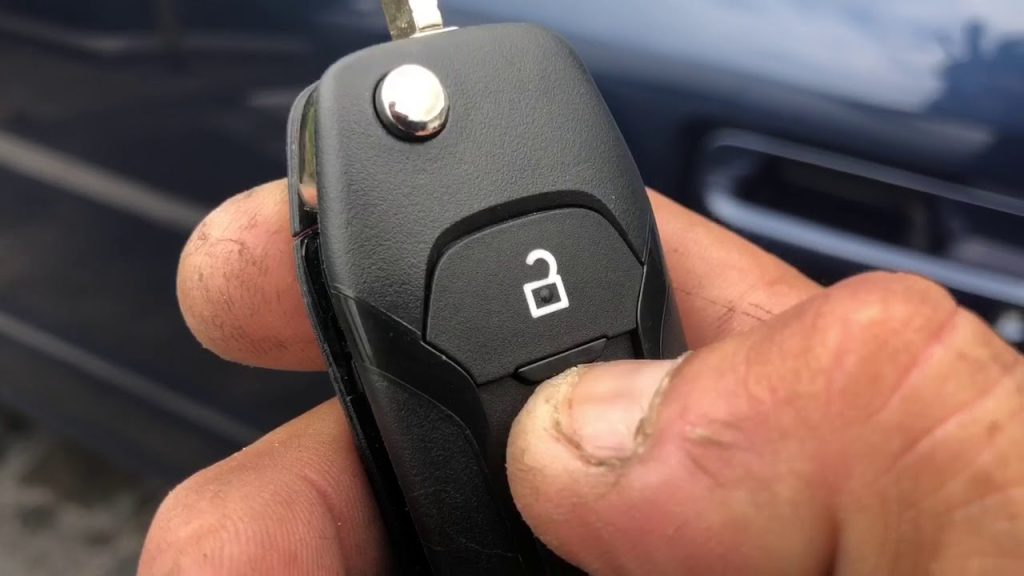
Your key fob is great, but what if you’re too far away, or just want more control? Ford offers other ways to remotely start your F-150, especially with newer models. The FordPass app is a game-changer for many owners.
Using the FordPass App for Remote Start
Many newer Ford F-150s, like the Ford Lightning, use a cellular modem for remote start. This means you can start your truck from almost anywhere using your smartphone. The FordPass app is your connection.
First, you’ll need to download the FordPass app to your phone and set it up. You’ll link your F-150 to the app, which usually involves scanning your VIN (Vehicle Identification Number). Once connected, you’ll see your truck’s status.
Inside the app, you’ll find a remote start button, usually on the main screen. Just tap it, and your truck will start up. You can also lock, unlock, and check fuel levels from the app. It’s super handy for those long-distance starts.
The FordPass app can even connect to smart home devices like Alexa or Google Home. This means you could say, “Alexa, start my F-150,” and your truck would fire up. How cool is that for modern convenience?
Troubleshooting FordPass Remote Start Issues
Sometimes, the FordPass app might act up. Owners of 2023 Ford F-150 PowerBoost models, for example, have reported issues with the app’s remote start not working. You might see a message like “system off to save battery” on your truck’s display.
This message often means your truck’s battery (not the key fob battery) is low, and the system is trying to save power. If your truck sits for a long time, this can happen. Try driving your truck for a bit to charge the battery.
If the app isn’t connecting, try restarting your phone or reinstalling the app. Make sure your truck has a good cellular signal, too. Sometimes, a simple refresh is all it needs to get back on track.
What to Do When Your Key Fob Battery Dies
It’s a common problem: your key fob battery suddenly dies. Don’t panic! You might think you’re stuck, but your Ford F-150 has a few tricks up its sleeve to help you out. You can still start your truck even with a dead key fob.
Starting Your F-150 with a Dead Fob
Ford vehicles are designed with a backup system for dead key fobs. You won’t be able to use remote start, but you can still get into and start your truck manually. This is a lifesaver when you’re in a pinch.
First, you’ll need to get into your truck. Most modern Ford key fobs have a hidden physical key inside. Look for a small button or latch on the side of your fob. Press it, and a metal key will slide out. Use this key to unlock your driver’s side door manually.
Once inside, you can start the engine. Even with a dead fob battery, the truck can usually detect the fob’s presence if it’s placed in a specific spot. This spot is often a backup antenna that reads the fob’s chip.
Common locations for this backup spot include a specific cup holder, a slot in the steering column, or sometimes even against the start/stop button itself. Check your F-150’s owner’s manual for the exact location in your model. Place the dead fob there, and then press the start button as usual.
Replacing Your Key Fob Battery
Once you’ve started your truck, it’s a good idea to replace the key fob battery as soon as possible. Most Ford key fobs use a common coin cell battery, like a CR2032. You can usually find these at any electronics store, grocery store, or even a gas station.
Replacing the battery is usually simple. You’ll need a small flathead screwdriver or a coin to gently pry open the key fob casing. Be careful not to damage the internal components. Pop out the old battery, put in the new one (make sure it’s facing the right way!), and snap the fob back together.
Having a fresh battery ensures all your key fob’s features, including remote start, work perfectly. It’s a small task that saves a lot of hassle.
Important Considerations and Safety Tips
Remote starting your Ford F-150 is super convenient, but it’s important to use it wisely and safely. There are a few things you should always keep in mind to avoid problems. These tips will help you enjoy the feature without any worries.
Environmental Factors and Parking
Always be mindful of where your truck is parked when you remote start it. Never remote start your F-150 in an enclosed space, like a garage, unless the garage door is open. The exhaust fumes contain carbon monoxide, which is a dangerous gas you can’t see or smell. It can quickly build up and be very harmful.
Also, think about your neighbors. Remote starting a loud truck early in the morning might not be the best idea in a quiet neighborhood. Be considerate of those around you.
Understanding Remote Start Limitations
Remote start systems have a range limit. Your key fob usually works within a certain distance, typically around 100 to 300 feet. If you’re too far away, it simply won’t work. Walls and other obstacles can also reduce the effective range.
Your F-150 will usually run for a set amount of time after a remote start, often 10 or 15 minutes. It will then shut off automatically to save fuel and for safety. You might be able to extend this time once or twice using your key fob or the FordPass app.
Remember, remote start doesn’t mean your truck is unlocked or ready to drive. You still need to use your key fob to unlock the doors and then get in and put the key in the ignition (or press the start button) to actually drive away. This is another safety feature.
Adding Remote Start if Your F-150 Doesn’t Have It
What if your F-150 doesn’t have remote start at all? It’s possible to add it! If you have both original keys for your truck, you might be able to program a new key fob that includes a remote start button. This often requires a visit to a Ford dealership or a certified mechanic.
Sometimes, adding remote start involves changing a module in your truck’s system. This is a more complex job and definitely something best left to professionals. They can make sure everything is installed correctly and works with your truck’s computer.
It’s always a good idea to check with your Ford dealer to see what options are available for your specific F-150 model year. They can tell you if an official Ford remote start kit can be installed and what it would cost.
FAQ
How do I know if my Ford F-150 has remote start?
The easiest way to check is to look at your key fob for a dedicated remote start button, often marked with “2x” or a circular arrow. If you don’t see one, check your owner’s manual or try the “lock-unlock-lock” sequence. You can also ask your Ford dealership.
Is the lack of a confirmation light on the fob for remote start a common issue in newer Ford F-150 models?
Yes, some owners of newer Ford F-150 models have noticed that their key fob doesn’t provide a confirmation light after a remote start. This can make it hard to know if the truck actually started. You often have to listen for the engine or look for the lights to come on.
How do I remotely start a 2020 Ford F-150 Lariat?
For most 2020 Ford F-150 Lariat models with a remote start button on the fob, you’ll press the lock button once, then press the remote start button (often marked “2x”) twice. If your Lariat has the FordPass app, you can also use that for remote starting from your phone.
Why has my Ford F150 PowerBoost remote start stopped working through the Ford Pass app?
This issue often happens if your truck’s main battery is low, causing the system to show a “system off to save battery” message. It can also be due to connectivity issues with the app or the truck’s cellular modem. Try driving your truck to charge the battery, or troubleshoot the app connection.
Can key fob batteries be recycled?
Yes, the small coin cell batteries used in key fobs, like CR2032s, can and should be recycled. Many stores that sell batteries have recycling bins. You can also check with your local waste management services for proper disposal methods.
What’s the maximum range for the Ford F-150 key fob remote start?
The typical range for a Ford F-150 key fob remote start is usually between 100 to 300 feet. This distance can vary based on obstacles, signal interference, and the specific model of your truck and key fob. The FordPass app, however, offers a much greater range as it uses cellular data.
Can I leave my F-150 running with remote start indefinitely?
No, your Ford F-150’s remote start system is designed to run for a set period, usually 10 or 15 minutes, before automatically shutting off. This is a safety feature and helps to conserve fuel. You can often extend the run time once or twice using the key fob or app.
Conclusion
Now you’re a pro at starting your Ford F-150 with your key fob! Whether you have the handy “2x” button, use the clever “lock-unlock-lock” trick, or prefer the high-tech FordPass app, you’ve got all the knowledge. No more guessing games or cold mornings!
Remember to always be safe when using remote start, especially in enclosed spaces. Keep an eye on your key fob’s battery, and know the backup steps if it ever dies. Your F-150 is ready to go when you are, making your life a little easier and a lot more comfortable.
So go ahead, give it a try! You’ll love the convenience of warming up or cooling down your truck before you even open the door. Enjoy your comfortable ride!
Related posts:
 How Do Ball Joints Work: A Comprehensive Guide
 How Do I Know If My Clutch Cable Has Gone
 Can Spark Plugs Really Break Glass
 How Big of Tires Can I Fit on My F150? A Comprehensive Guide
 How Can I Protect My Windshield From Rock
 How Do Spark Plugs Break Windows
 How Far Can I Drive With A Bad Alternator
 How Far Can I Drive With A Blown Water Pump
 How Far Can I Drive With A Broken Serpentine Belt
 How Far Can You Drive With A Dead Battery
 How Far Can You Drive Without An Alternator
 How To Put Down Nissan Altima Back Seats