How To Reset Oil Life 2018 Ford f150: Easy Peasy
Sometimes, after you get an oil change, that little “Oil Change Required” message still pops up on your dashboard. It’s a common thing, and it just means your truck needs a little reminder that its oil is fresh and ready to go!
Don’t worry, this is a common task after an oil change, and it’s simpler than you might think. We’re here to guide you through each step, making sure you get it right the first time.
Get ready to learn the exact buttons to push, what to look for on your dashboard, and even some clever tricks if the usual way doesn’t work. It’s time to take control of your truck’s maintenance!
Key Takeaways
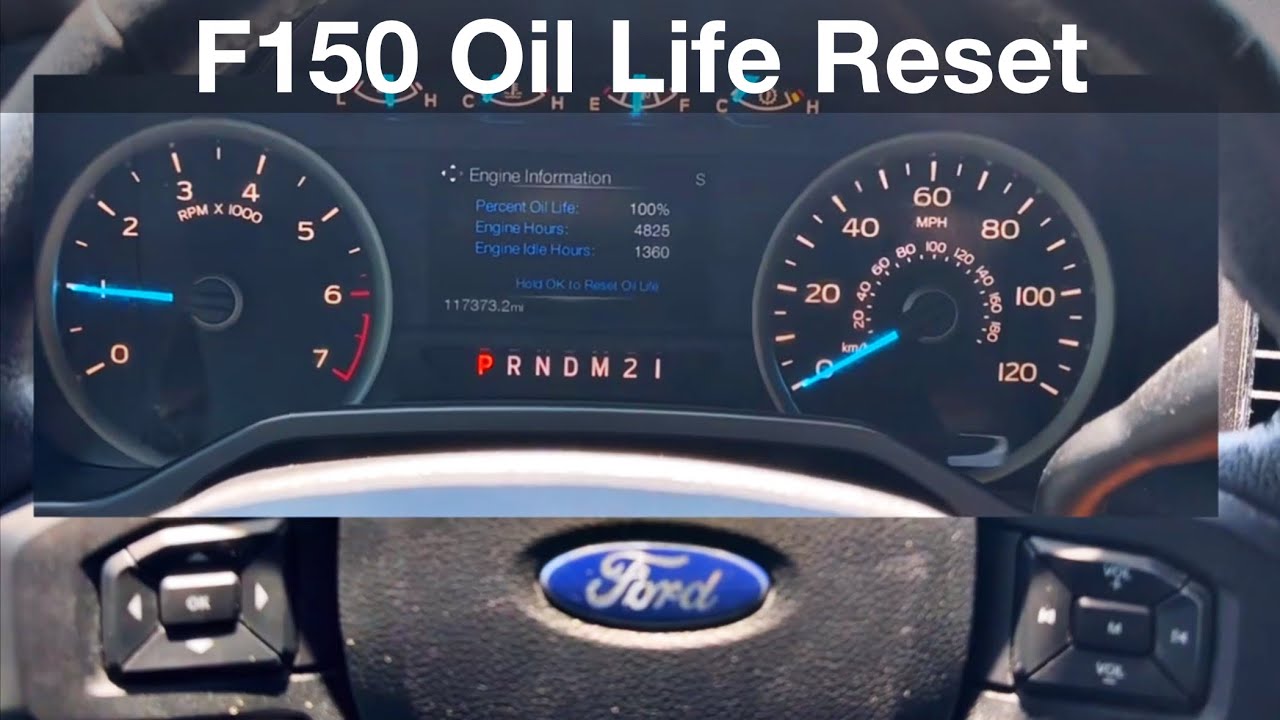
- Main Method: To reset your 2018 Ford F-150 oil life, navigate to Settings > Advanced Settings > Vehicle > Oil Life Reset on your dashboard screen.
- Simple Steps: Once you find “Oil Life Reset,” press and hold the “OK” button until the display shows 100%.
- Important Check: After resetting, turn your ignition off and then restart your truck to confirm the reset was successful.
- Wider Coverage: This method generally works for Ford F-150 models from 2015 all the way up to 2020, and even some F-250s.
- Troubleshooting: If the option isn’t there, or the reset doesn’t stick, there are alternative methods and common reasons why it might happen.
- Why It Matters: Resetting the oil life indicator helps your truck’s computer keep track of maintenance and avoids unnecessary warning messages.
Why Reset Your Oil Life Indicator? It’s More Than Just a Light!
Your Ford F-150 is a smart truck! It uses a special system to figure out when your engine oil needs changing. This isn’t just based on how many miles you drive.
It also looks at things like how hot your engine gets, how often you stop and go, and even how you drive. This helps your truck tell you the best time for an oil change.
After you get fresh oil, the truck’s computer still thinks the old oil is in there. Resetting the oil life indicator tells the computer, “Hey, we’ve got new oil now!”
This clears the warning message and lets the system start fresh. It helps keep your maintenance schedule accurate and prevents false alarms.
The Standard Way: Step-by-Step Reset for Your 2018 F-150
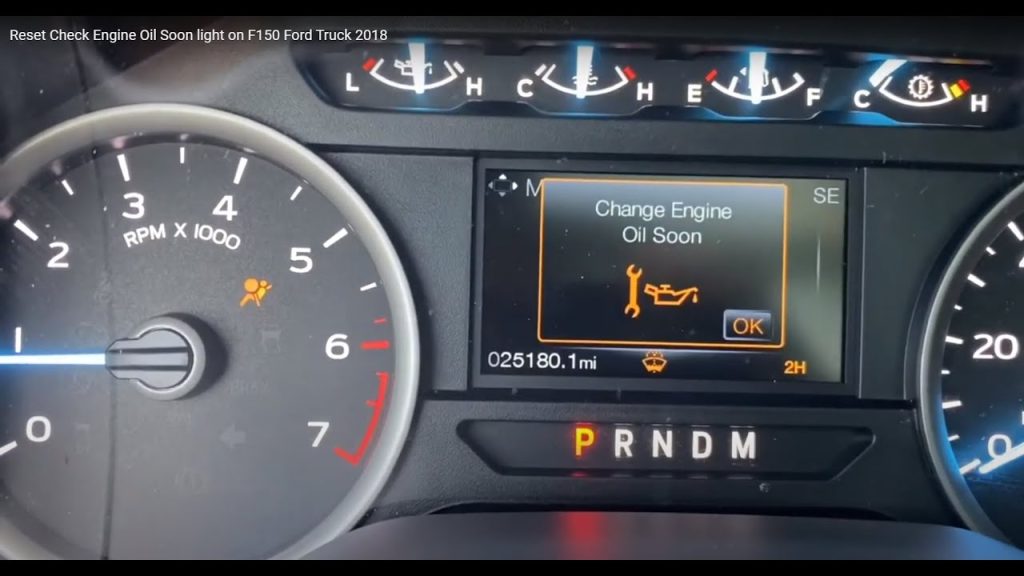
This is the most common and easiest way to reset your oil life. It uses the buttons right on your steering wheel and the screen in your dashboard. Most 2018 F-150 owners will use this method.
Let’s walk through it together, button by button. You’ll be a pro in no time!
Getting Ready: Turn Your Truck On
First things first, make sure your truck’s ignition is on. You don’t need to start the engine, but the power needs to be on so your dashboard screen lights up.
If your truck has a push-button start, just press the start button without pressing the brake pedal. If you have a key, turn it to the “ON” position.
Accessing Your Settings Menu
Look at your steering wheel. On the left side, you’ll see a set of arrow buttons (up, down, left, right) and an “OK” button in the middle. These are your main controls for the dashboard screen.
Use the left and right arrow buttons to scroll through the main menu options displayed on your dashboard. You’re looking for an option that says “Settings” or looks like a gear icon.
Finding the Oil Life Reset Option
Once you highlight “Settings,” press the “OK” button in the middle of the arrows. This will open up the settings menu.
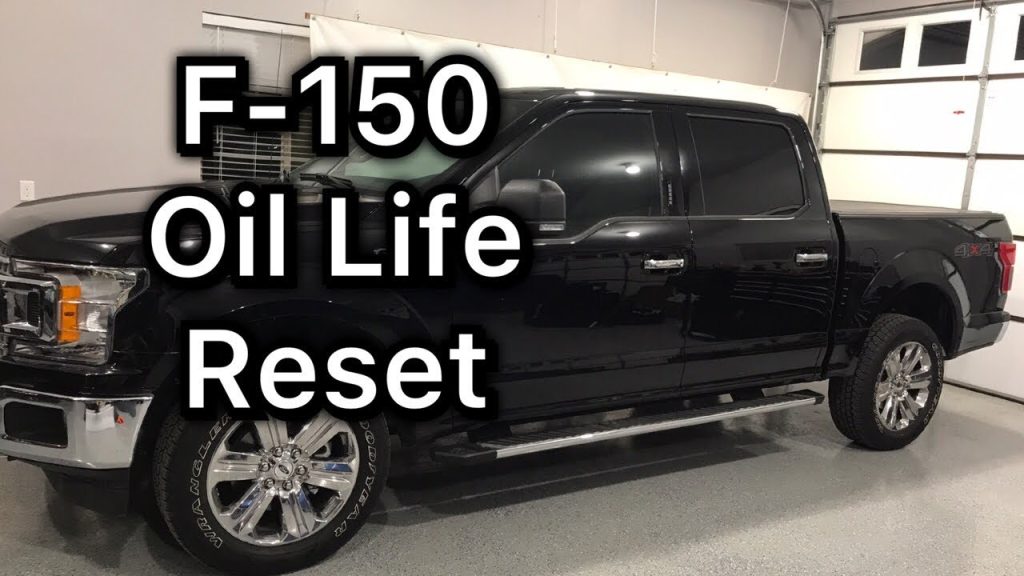
Now, use the up and down arrow buttons to scroll through the different settings. You’ll need to look for “Advanced Settings,” then “Vehicle,” and finally “Oil Life Reset.” It’s like finding a specific book on a shelf!
Confirming the Reset to 100%
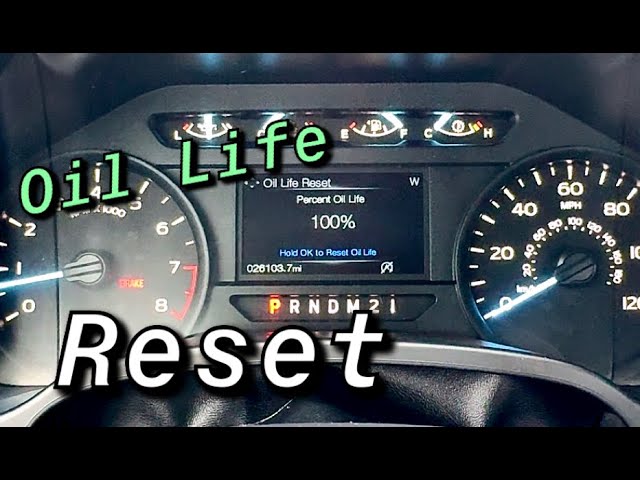
When you find “Oil Life Reset,” highlight it using the arrows. Then, press and hold the “OK” button. Don’t just tap it.
Keep holding the “OK” button for a few seconds. You should see the oil life percentage change on your screen, usually jumping straight to “100%.” This means it worked!
Final Check: Turn Off and Restart
After the screen shows 100%, you’re almost done. Turn your truck’s ignition completely off.
Wait a few seconds, then turn it back on (or start the engine). This helps the truck’s computer fully register the change. Check your dashboard again to make sure the “Oil Change Required” message is gone and the oil life shows 100%.
What If It’s Not Showing? Troubleshooting Common Issues
Sometimes, things don’t go exactly as planned. A few F-150 owners have reported that the “Oil Life Reset” option seems to vanish from their menu. Don’t panic if this happens to you!
There are a few reasons why this might occur, and some tricks you can try. It’s like when your remote control stops working – sometimes you just need to jiggle the batteries.
Missing Menu Option
If you’ve scrolled through all the settings and can’t find “Oil Life Reset,” double-check that you’re in the right place. Make sure you went into “Advanced Settings” and then “Vehicle.”
Sometimes, the menu layout can be a little tricky. If it’s still missing, it could be a small software glitch.
The “Ghost” Reset
Some trucks might reset the oil life automatically if the dealership or mechanic used a special diagnostic tool. However, it’s always best to manually confirm.
If you just had service, ask your mechanic if they reset it. If not, try the steps again very carefully.
Battery Disconnect Trick
For persistent issues, a common fix in the automotive world is to disconnect the truck’s battery for about 15-30 minutes. This can sometimes “reboot” the truck’s computer system.
Important: Disconnecting the battery can reset other settings like radio presets or the clock. Make sure you know your radio code if it has one.
Seek Professional Help
If you’ve tried everything and the option is still missing or the reset won’t stick, it might be time to visit your Ford dealership or a trusted mechanic. They have special tools that can access and reset the system directly.

It’s rare, but sometimes a sensor or a small computer module might be acting up. They can quickly diagnose and fix it.
The “Gas Pedal” Trick: An Alternative Method
Okay, here’s a lesser-known trick that some F-150 owners have found helpful, especially for older models or when the standard menu method isn’t working. It’s a bit like a secret code!
This method involves using the gas pedal in a specific way. It’s worth a shot if you’re having trouble with the regular steps.
When to Try This Method
This “gas pedal” trick is usually considered a backup. If you’ve tried the menu-based reset multiple times and it just won’t reset, then you can give this a try.
It’s not the official Ford method for newer trucks, but it has worked for some in the Ford community.
Step-by-Step for the Gas Pedal Trick
- Turn Ignition On: Get into your F-150 and turn the ignition to the “ON” position. Do not start the engine.
- Fully Press Gas Pedal: Now, press the accelerator (gas) pedal all the way to the floor. Make sure you hold it down firmly.
- Repeat Five Times: While holding the pedal down, quickly release it and press it down again. Do this a total of five times.
- Turn Ignition Off: After the fifth press and release, turn your ignition completely off.
- Restart and Check: Wait a few moments, then turn your truck back on (or start the engine). Check your dashboard screen to see if the oil life has reset to 100%.
Is This Trick Safe?
Yes, this trick is generally safe. It’s a method that has been around for some Ford vehicles for a while. It just tells the computer to reset the oil life monitor.
It won’t harm your engine or other systems. However, always use the official menu method first if it’s available and working for your truck.
Why This Matters: Understanding Your F-150’s Oil Life System
Your F-150’s oil life monitor is there to help you. It’s not just a simple timer. It’s a smart system designed to protect your engine and save you money in the long run.
Knowing how it works can help you make better decisions about your truck’s care. Let’s dig into why this system is so important.

It’s Not Just About Miles
Many people think you need an oil change every 3,000 or 5,000 miles, no matter what. But modern engines and oils are much better!
Your F-150’s system looks at how you drive. If you drive short distances, in very hot or cold weather, or tow heavy loads, your oil might wear out faster. If you mostly drive long, easy highway miles, your oil might last longer.
Protecting Your Engine
Engine oil is like the blood of your truck’s engine. It lubricates moving parts, keeps them cool, and cleans out gunk.
When oil gets old, it breaks down and can’t do its job as well. This can lead to more wear and tear on your engine, which could mean expensive repairs later. The oil life monitor helps you change it before serious damage occurs.
Saving You Money
By telling you exactly when your oil needs changing, the system can actually save you money. You won’t change your oil too early, wasting good oil and money.
And you won’t change it too late, which could lead to engine problems. It helps you get the most out of every oil change.
Beyond the Reset: General Oil Change Tips for Your F-150
Resetting the oil life indicator is just one part of proper maintenance. To keep your 2018 Ford F-150 running its best, here are some general tips for oil changes and overall engine health.
Think of it as giving your truck a complete health check-up!
Use the Right Oil
Ford recommends specific types of oil for your F-150. For a 2018 F-150, especially those with EcoBoost engines, you’ll likely need a synthetic blend or full synthetic oil with a specific weight, like 5W-30.
Always check your owner’s manual for the exact type and amount of oil your truck needs. Using the wrong oil can harm your engine over time.
Don’t Forget the Filter
Every time you change your oil, you should also change your oil filter. The oil filter catches dirt and debris, keeping your oil clean.
A new filter ensures your fresh oil stays clean for longer, doing its job effectively. It’s a small part, but a very important one!
Check Your Oil Level Regularly
Even with a smart oil life monitor, it’s a good habit to check your oil level manually every month or so. This is especially true if you do a lot of towing or heavy driving.
Just pull out the dipstick, wipe it clean, put it back in, and pull it out again. Make sure the oil level is between the “min” and “max” marks.
Consider Your Driving Habits
If you often drive in tough conditions (extreme heat/cold, dusty roads, heavy towing, lots of short trips), you might want to consider more frequent oil changes, even if your oil life monitor says you have more time.
Your owner’s manual will have a “severe duty” maintenance schedule that might apply to you. It’s better to be safe than sorry when it comes to engine health.
When Does This Apply? Model Years Covered
The great news is that the oil life reset method we’ve discussed isn’t just for the 2018 F-150! Ford often uses very similar systems across several model years.
This means if you have a slightly different year, these steps might still work perfectly for you.
The 2015-2020 F-150 Range
Many sources, including YouTube guides, confirm that this specific menu-based reset method works for a wide range of F-150 trucks. This includes models from 2015, 2016, 2017, 2018, 2019, and 2020.
The dashboard menus and steering wheel controls remained largely consistent during these years, making the process very similar.
What About Other Ford Trucks?
You might also find that this method, or a very similar one, works for other Ford truck models, like the F-250. Ford tends to standardize these basic maintenance resets across its truck lineup.
Always check your specific owner’s manual if you have a different model, but the general principles often apply. It’s a good starting point for any Ford truck owner.
Frequently Asked Questions
What does the oil life indicator in my F-150 mean?
The oil life indicator is your truck’s smart way of telling you when it’s time for an oil change. It doesn’t just count miles; it also considers how you drive and the conditions your engine operates in. This helps ensure your oil is changed at the optimal time for engine health.
Why do I need to reset the oil life after an oil change?
You need to reset it because your truck’s computer doesn’t automatically know you’ve put in fresh oil. Resetting tells the system to clear the warning message and start a new calculation for the next oil change interval. It keeps your maintenance schedule accurate.
Can I reset the oil life without changing the oil?
While you can technically reset the oil life indicator without changing the oil, it’s strongly advised not to. Resetting it without fresh oil will give you a false sense of security and can lead to serious engine damage because old, worn-out oil isn’t protecting your engine properly.
What should I do if the oil life reset option isn’t showing?
If the “Oil Life Reset” option isn’t showing, first double-check that you’re in “Settings > Advanced Settings > Vehicle.” If it’s still missing, try disconnecting your truck’s battery for 15-30 minutes to reboot the system. If all else fails, a Ford dealership or mechanic can help diagnose and reset it.
Does this reset method work for other Ford F-150 years?
Yes, the menu-based reset method described often works for a wide range of Ford F-150 models. It’s typically effective for F-150s from 2015 through 2020, as these years share very similar dashboard interfaces and control systems.
How often should I change the oil in my 2018 Ford F-150?
Your 2018 F-150’s oil life monitor is designed to tell you the best time, usually around 7,500 to 10,000 miles or once a year, whichever comes first. Always refer to your owner’s manual for specific recommendations based on your engine type and driving conditions.
What kind of oil should I use for my 2018 F-150?
For most 2018 Ford F-150 engines, especially EcoBoost models, Ford recommends using a synthetic blend or full synthetic motor oil. The specific weight is usually 5W-30. Always check your owner’s manual or the oil cap on your engine for the exact viscosity and specification required.
Is the “gas pedal” trick safe to use?
Yes, the “gas pedal” trick is generally safe to use as an alternative method if the standard menu reset isn’t working. It’s a known workaround for some Ford vehicles and shouldn’t cause any harm to your truck’s systems. However, the menu method is always the preferred, official way.
Conclusion
There you have it! Resetting the oil life indicator on your 2018 Ford F-150 is a simple task that you can easily do yourself after an oil change. It’s a small but important step to keep your truck’s maintenance schedule accurate and its engine protected.
Remember, the main method involves navigating your dashboard menu to “Settings > Advanced Settings > Vehicle > Oil Life Reset” and holding the “OK” button. If that doesn’t work, don’t forget the “gas pedal” trick as a backup. Always check your owner’s manual for the most specific information for your truck.
Taking care of these little details means your F-150 will continue to be a reliable workhorse for all your adventures. So go ahead, give your truck that fresh start, and enjoy the open road!
Related posts:
 How Do Ball Joints Work: A Comprehensive Guide
 How Do I Know If My Clutch Cable Has Gone
 Can Spark Plugs Really Break Glass
 How Big of Tires Can I Fit on My F150? A Comprehensive Guide
 How Can I Protect My Windshield From Rock
 How Do Spark Plugs Break Windows
 How Far Can I Drive With A Bad Alternator
 How Far Can I Drive With A Blown Water Pump
 How Far Can I Drive With A Broken Serpentine Belt
 How Far Can You Drive With A Dead Battery
 How Far Can You Drive Without An Alternator
 How To Put Down Nissan Altima Back Seats