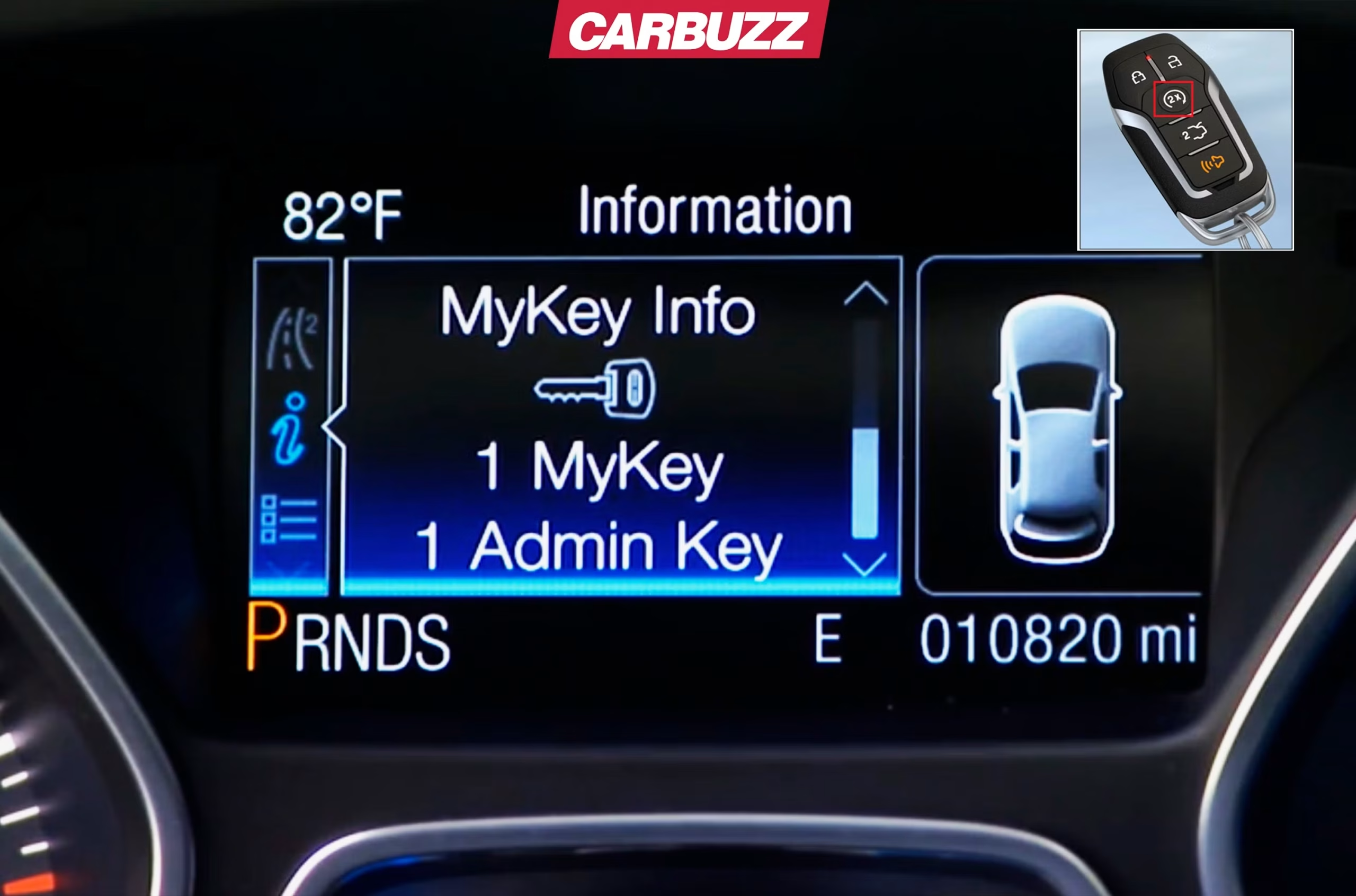
How To Turn Off My Key Ford F150
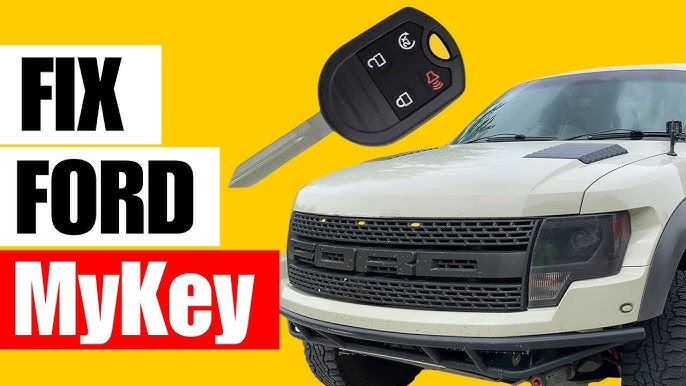
Hey there, fellow F-150 owner! Ever wonder how to get rid of those pesky MyKey restrictions on your truck? It can feel a bit like your truck is telling you what to do, right? Let’s get that sorted out.
So, how to turn off My Key Ford F150? The main way to turn off Ford MyKey is by using the original “admin” key that was used to set it up. You’ll go through your truck’s display settings to do this. If you don’t have that special key, it gets a lot trickier and usually means a trip to the dealership.**
Don’t worry, you’re in the right place to figure this out. We’re going to walk you through everything you need to know, whether you have that important admin key or not. Our goal is to make sure you understand every step and what your options are.
Get ready to learn all the secrets to taking control of your F-150’s settings. We’ll cover the easy fixes, the tricky parts, and even what to do if you’re stuck without the right key. It’s going to be simple, fun, and totally worth your time!
Key Takeaways
- To turn off MyKey, you almost always need the “admin key” – this is the original key that was used to set up the MyKey features.
- If you have the admin key, you can disable MyKey by going through your F-150’s display settings, usually found under “Settings” and then “MyKey.”
- A common step involves starting your truck with the admin key, navigating to MyKey settings, and then holding down the “OK” button for a few seconds to reset it.
- If you only have one key, and it’s a restricted MyKey, you likely don’t have the admin key. This means you’ll probably need a Ford dealer to create a new master key to turn off MyKey.
- Disconnecting the battery for a short time might reset some minor things, but it’s generally not effective for fully disabling MyKey without the admin key.
- Getting a new admin key from a dealer can be expensive, so it’s best to avoid losing your original master keys if possible.
What Exactly is Ford MyKey, Anyway?
Before we dive into turning it off, let’s quickly talk about what MyKey is. Think of MyKey as a special program in your Ford F-150 that lets you set rules for certain keys. It’s often used by parents for younger drivers or by fleet managers for company vehicles.
These rules can limit things like the truck’s top speed, how loud the radio can go, and even make sure the seat belts are buckled before the radio turns on. It’s designed to promote safer driving habits, which is a good idea in theory!
When MyKey is active, any key that’s been set as a MyKey will have these restrictions. The key that was used to set up these rules is called the “admin key” or “master key.” This admin key is super important because it’s the only one that can change or turn off MyKey settings.
The Easy Way: Using Your Admin Key to Disable MyKey
If you’re lucky enough to have the original admin key for your Ford F-150, turning off MyKey is pretty straightforward. This is the simplest and cheapest method to regain full control of your truck’s settings. Make sure you know which one is your admin key; sometimes people label them.
Step-by-Step: Turning Off MyKey with an Admin Key
Here’s how you can disable MyKey using your master key. It’s like having the secret password to unlock everything.
1. Start Your Truck: Get into your F-150 and start it using the admin key. The truck’s display screen should light up and activate.
2. Access the Main Menu: Look at your steering wheel. You’ll typically find some buttons on the left side that let you navigate through your truck’s information display. Press the left arrow button to get to the main menu.
3. Go to Settings: Scroll through the options until you find “Settings” or “Vehicle Settings.” Use the arrow buttons to highlight it and then press “OK” or the right arrow to select it.
4. Find MyKey: Inside the “Settings” menu, scroll down until you see “MyKey.” Select this option.
5. Clear MyKeys: You should see an option like “Clear MyKeys,” “Disable MyKey,” or “Reset MyKey.” Highlight this option.
6. Hold “OK” to Reset: This is the critical part. Once “Clear MyKeys” is highlighted, press and hold the “OK” button on your steering wheel for about 3-5 seconds. You should see a message confirming that MyKey has been reset or disabled.
After you do this, all the MyKey restrictions should be gone for all keys. This means any key you use will now operate the truck without speed limits, volume limits, or other imposed rules.
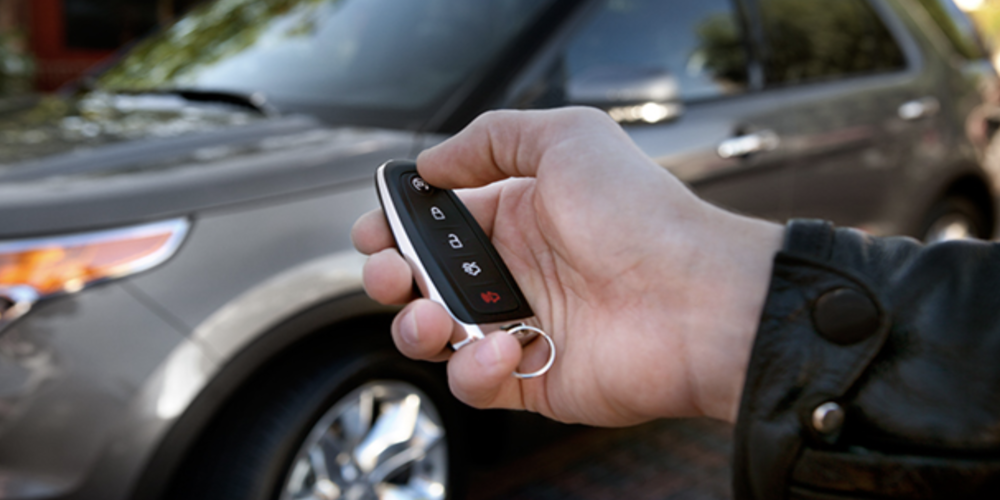
What If You Don’t Have the Admin Key?
This is where things get a bit more challenging, and unfortunately, often more expensive. Many people buy a used F-150 only to find out it has MyKey enabled, and they only received a restricted key from the previous owner.
Without that specific admin key, your F-150’s computer system won’t let you turn off MyKey yourself. It’s a security feature to ensure only the owner who set it up can change the rules. It can feel frustrating, but there are still options to explore.
Dealing with a Lost Admin Key: Dealer Options
If you’ve lost your admin key or never received one, your most reliable solution is to visit a Ford dealership. They have special tools and software that can reset your truck’s key system and program new keys.
Getting a New Master Key from Ford
The dealership will essentially create a brand-new master key for your F-150. This new key will then have the power to disable MyKey, just like the original admin key would have.
Keep in mind that this service isn’t free. Getting a new master key from a Ford dealer can be quite expensive. It involves programming and sometimes even replacing key components, so be prepared for a bill. Always ask for an estimate first!
Are There Any DIY Tricks Without the Admin Key?
People often wonder if there’s a cheaper, do-it-yourself way to get around MyKey without the admin key. While some tricks exist for other car issues, MyKey is designed to be pretty secure.
Disconnecting the Battery: Does It Work?
One common suggestion is to disconnect your truck’s battery for about 15 minutes to try to reset the system. While this can sometimes clear minor electrical glitches or reset other vehicle modules, it’s generally unsuccessful at disabling Ford MyKey.
MyKey settings are stored in a more permanent part of your truck’s computer system, not just in temporary memory that a battery disconnect would erase. So, while you can try it, don’t expect it to be a magic fix for MyKey restrictions.
Changing Individual Restrictions (Limited Success)
Some sources suggest going to “Vehicle Settings,” selecting “MyKey,” and turning off any restrictions you see. This might help lessen some restrictions, like turning off a specific speed limit, but it often requires the admin key to make permanent changes or fully disable MyKey. It might not get rid of everything, but it can help reduce some annoyances if the option is available.
Why MyKey Can Be a Headache
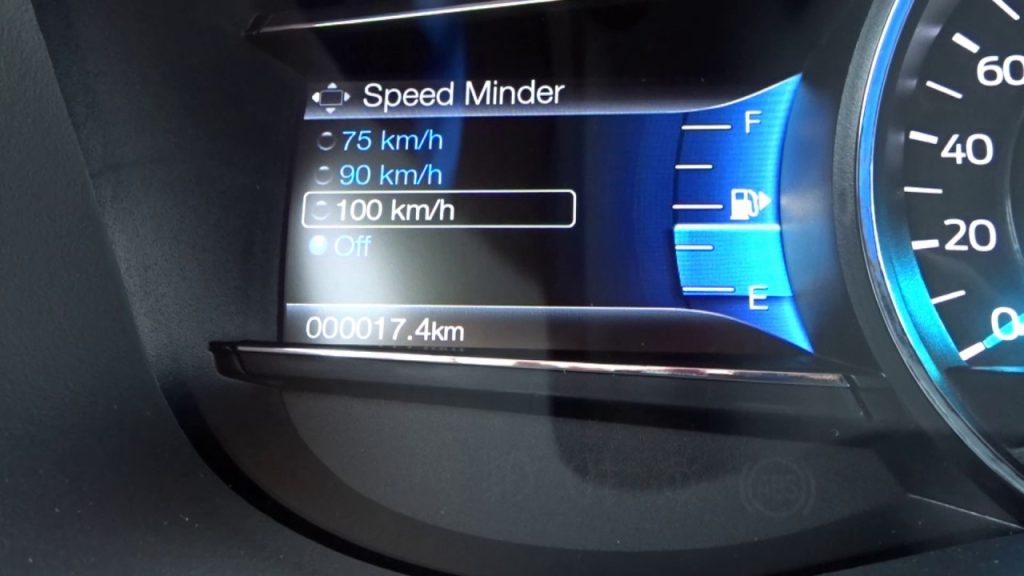
While MyKey has good intentions, it can certainly cause frustration, especially for used car buyers. The biggest headache is definitely the cost if you don’t have both master keys.
If you only have one key and it’s a restricted MyKey, you’re looking at a significant expense to get a new master key made by a dealer. This can be hundreds of dollars, just to get your truck back to its default settings.
Another common complaint is the inability to fully control your own vehicle. Imagine having a speed limit you can’t override or a radio that won’t go past a certain volume. It can be a real pain, especially if you didn’t set those restrictions yourself.
How to Prevent MyKey Issues in the Future
Once you’ve successfully turned off MyKey, or if you’re buying a new-to-you F-150, here are some tips to avoid future MyKey headaches:
Always Have Two Admin Keys
When you buy a new Ford F-150, it usually comes with two master (admin) keys. Make sure you keep both of them safe! If you ever need to create a MyKey for someone, use one of the master keys to set it up, and keep the other master key untouched and hidden away.
Label Your Keys Clearly
If you have multiple keys, it’s a great idea to label them. Mark one as “Admin” or “Master” and any restricted keys as “MyKey.” This way, you’ll always know which key has the power to change settings.
Check for MyKey Before Buying a Used Truck
If you’re looking at a used F-150, always ask the seller about MyKey. Start the truck with all the keys they provide and check the instrument cluster for any MyKey messages or warnings. If it’s enabled, make sure you get the admin key, or factor in the cost of getting a new one.
Understanding MyKey Restrictions in Detail
It’s helpful to know exactly what MyKey can restrict so you understand why it might be on your F-150. These are the common limitations you might encounter:
Speed Limiters
MyKey can set a maximum speed for the vehicle, often around 80 mph. Even if you press the gas pedal all the way down, the truck won’t go faster than this limit. You’ll get visual and audible warnings if you approach the set speed.
Audio Volume Limits
The radio volume can be capped at a certain level, usually around 45% of the maximum. This prevents drivers from blasting music too loudly, which can be a distraction or damage their hearing.
Seat Belt Reminders
One of the most common MyKey features is an enhanced seat belt reminder. If the driver or front passenger isn’t buckled, the audio system will stay muted or play a continuous chime until the seat belts are fastened.
Low Fuel Warnings
MyKey can also cause the low fuel warning light to come on earlier than usual, giving the driver more time to find a gas station. This helps prevent running out of fuel.
Driver-Assist Features
Sometimes, certain driver-assist features, like parking assist or blind-spot monitoring, might be forced “on” and cannot be turned off by a MyKey driver. This ensures safety features are always active.
Frequently Asked Questions
How do I know if my F-150 has MyKey enabled?
You’ll usually see a message on your truck’s instrument cluster display, like “MyKey Active” or “MyKey Speed Limited.” If you try to change certain settings or turn up the radio volume past a certain point, you might find you can’t, which is another sign.
Can a regular mechanic or locksmith disable Ford MyKey?
Most standard mechanics or locksmiths do not have the specialized Ford software or tools required to fully disable MyKey without an admin key. This usually requires a visit to an authorized Ford dealership.
What does MyKey actually do to my Ford F-150?
MyKey sets various restrictions on your truck when a specific key is used. These can include limiting top speed, capping audio volume, enforcing seat belt usage, and providing earlier low-fuel warnings, among other safety features.
How to remove MyKey settings on a 2014 Ford F150 with only one key?
If you only have one key for your 2014 Ford F-150 and MyKey is enabled, it’s very likely that key is a restricted MyKey, not an admin key. In this situation, your best option is to contact a Ford dealership. They can program a new admin key for you, which will then allow you to turn off MyKey.
Is MyKey a permanent setting once it’s turned on?
No, MyKey is not permanent. It can be turned off or reset at any time, but you absolutely need the original admin (master) key to do so. Without that specific key, the settings will remain active.
How can I tell if I have an “admin” key or a “MyKey”?
The easiest way is to try to access the MyKey settings menu in your truck. If you can navigate to “MyKey” and see options to “Clear MyKeys” or “Disable MyKey,” and then successfully perform that action, you have an admin key. If those options are grayed out or unavailable, your key is likely a restricted MyKey.
Conclusion:
Turning off MyKey on your Ford F-150 is totally doable, especially if you have that all-important admin key. Just follow the steps through your truck’s display, and you’ll have full control back in no time. It’s a simple process that gives you back all the power over your F-150’s features.
If you find yourself without the admin key, don’t get too discouraged. While it’s a bit more of a hassle and might cost you some money, a Ford dealership can certainly help you out. They can create a new master key that will let you disable MyKey and unlock all your truck’s potential.
Remember, keeping track of your admin keys is the best way to avoid these situations in the first place. Now go enjoy your F-150 without any unwanted restrictions!
Related posts:
 How Do Ball Joints Work: A Comprehensive Guide
 How Do I Know If My Clutch Cable Has Gone
 Can Spark Plugs Really Break Glass
 How Big of Tires Can I Fit on My F150? A Comprehensive Guide
 How Can I Protect My Windshield From Rock
 How Do Spark Plugs Break Windows
 How Far Can I Drive With A Bad Alternator
 How Far Can I Drive With A Blown Water Pump
 How Far Can I Drive With A Broken Serpentine Belt
 How Far Can You Drive With A Dead Battery
 How Far Can You Drive Without An Alternator
 How To Put Down Nissan Altima Back Seats