Skip to content
Road Momentum
  • Home
  • Ford F150
  • Reviews
  • BMW
Road Momentum
  • How to Disconnect F150 Battery
    Ford F150

    How to Disconnect F150 Battery: Easy Steps

    ByRizon December 16, 2024July 8, 2025

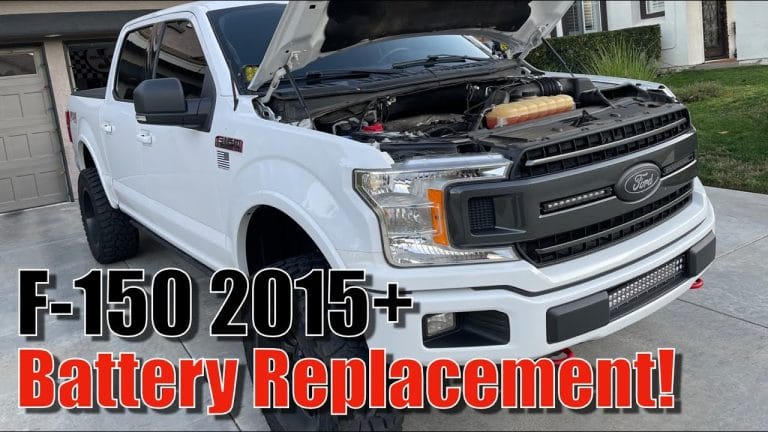
    To disconnect the battery on an F150, remove the clamp and then disconnect the battery. Prepare to install the new battery and then install it. Introduction To Disconnecting F150 Battery Disconnecting the F150 battery is a simple process that involves removing the battery clamp, disconnecting the battery, and then installing a new battery. Make sure…

    Read More How to Disconnect F150 Battery: Easy StepsContinue

  • how to reset f150 screen
    Ford F150

    Reset F150 Screen: Master the Art of Reviving Your Ford Sync

    ByRizon December 13, 2024July 8, 2025

    To reset the Ford F150 screen, simultaneously press and hold the Seek up and the audio unit Power buttons until the screen goes black. Additionally, in your phone, select SYNC, delete it, go to the SYNC screen menu, navigate to SYNC settings, choose master reset, and confirm it by selecting yes. By performing these steps,…

    Read More Reset F150 Screen: Master the Art of Reviving Your Ford SyncContinue

  • How to Turn off Seatbelt Alarm Ford F150
    Ford F150

    How to Turn off Seatbelt Alarm: Ford F150 Guide

    ByRizon December 2, 2024July 8, 2025

    To turn off the seatbelt alarm in a Ford F150, start by setting the parking brake, then buckle and unbuckle the seatbelt nine times. Methods To Turn Off Seatbelt Alarm If you own a Ford F150, you might find the seatbelt alarm to be bothersome at times. While it is important to prioritize safety and…

    Read More How to Turn off Seatbelt Alarm: Ford F150 GuideContinue

  • What Would Cause a Ford F150 to Not Start
    Ford F150

    What Would Cause a Ford F150 to Not Start: Common Reasons Unveiled

    ByRizon November 30, 2024July 8, 2025

    A bad crankshaft position sensor is a common cause of a Ford F150 not starting. This can be caused by ignition issues, battery issues, starter failure, engine timing, and battery charge issues. If your car won’t start, it could be due to a weak battery, a busted starter, faulty electrical connections, or bad spark plugs….

    Read More What Would Cause a Ford F150 to Not Start: Common Reasons UnveiledContinue

  • How to Reset Tpms Ford F150
    Ford F150

    How to Reset Tpms Ford F150: Quick and Easy Steps

    ByRizon November 18, 2024July 8, 2025

    To reset the TPMS on a Ford F150, locate the TPMS reset button beneath or near the steering wheel. Hold the button until the dashboard light blinks three times. Finding The Tpms Reset Button To reset the TPMS on a Ford F150, locate the TPMS reset button under the steering wheel or on the dashboard….

    Read More How to Reset Tpms Ford F150: Quick and Easy StepsContinue

  • How to Reset Pcm Ford F150
    Ford F150

    How to Reset PCM Ford F150: Master the Art of Power Control

    ByRizon November 13, 2024July 8, 2025

    To reset the PCM (Powertrain Control Module) on a Ford F150, you can follow these steps: 1. Open the hood and locate the car battery. 2. Disconnect the negative battery cable and wait for approximately five minutes. 3. Turn on the headlights to drain any remaining power from the capacitors. 4. Reconnect the negative battery…

    Read More How to Reset PCM Ford F150: Master the Art of Power ControlContinue

  • How to Delete Phone from Ford F150
    Ford F150

    How to Delete Phone from Ford F150

    ByRizon November 13, 2024July 8, 2025

    To delete a phone from a Ford F150, go to Settings, select Bluetooth, press the i icon next to SYNC, and choose Forget This Device. This will unpair and remove the phone from the vehicle’s Bluetooth system. Introduction To Ford Sync And Deleting Phones Are you having trouble deleting a phone from your Ford F150’s…

    Read More How to Delete Phone from Ford F150Continue

  • How to Fix Starting System Fault - Ford F150
    Ford F150

    How to Fix Starting System Fault – Ford F150: Troubleshooting Tips and Solutions

    ByRizon November 13, 2024July 8, 2025

    To fix a starting system fault in a Ford F150, check the battery voltage and inspect the fuses for any failures. Also, ensure that there are no offline computers, trouble codes, or missing inputs from the ignition switch and park sensor. The diagnosis is crucial in determining the cost of the repair as there are…

    Read More How to Fix Starting System Fault – Ford F150: Troubleshooting Tips and SolutionsContinue

  • How to Reset Ford Pcm
    Ford F150

    How to Reset Ford Pcm: The Ultimate Guide for Success

    ByRizon November 13, 2024July 8, 2025

    To reset the PCM on a Ford vehicle, start by turning off the vehicle and ensuring all electrical components are switched off. Next, locate the battery and identify the positive (+) and negative (-) terminals. Disconnect the negative terminal first. This will reset the PCM and allow it to re-learn your driving style and habits,…

    Read More How to Reset Ford Pcm: The Ultimate Guide for SuccessContinue

  • How to Disable Alarm on Ford F150
    Ford F150

    How to Disable Alarm on Ford F150: Step-by-Step Guide

    ByRizon November 13, 2024July 8, 2025

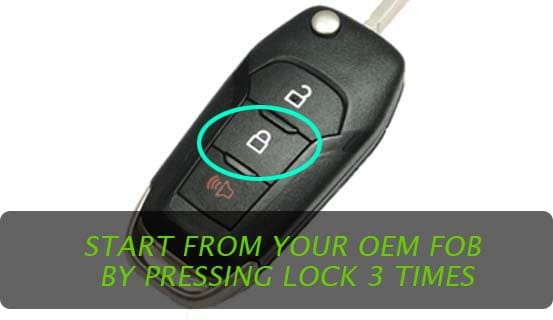
    To disable the alarm on a Ford F150, manually lock the truck doors by pressing down on the lock posts on each door. This will deactivate the alarm system. Additionally, turning the key in the driver’s door three times to the left will disable the alarm system, while turning it twice to the right will…

    Read More How to Disable Alarm on Ford F150: Step-by-Step GuideContinue

Page navigation

Previous PagePrevious 1 … 16 17 18 19 20 … 37 Next PageNext

Roadmomentum.com is a participant in the Amazon Services LLC Associates Program, an affiliate advertising program designed to provide a means for sites to earn advertising fees by advertising and linking to Amazon.com

Roadmomentum.com is reader-supported. When you buy through links on our site, we may earn an affiliate commission. Thanks for helping us keep the lights on.

© 2026 Road Momentum

  • Privacy policy
  • About us
  • Contact us
Scroll to top
  • Home
  • Ford F150
  • Reviews
  • BMW
Search