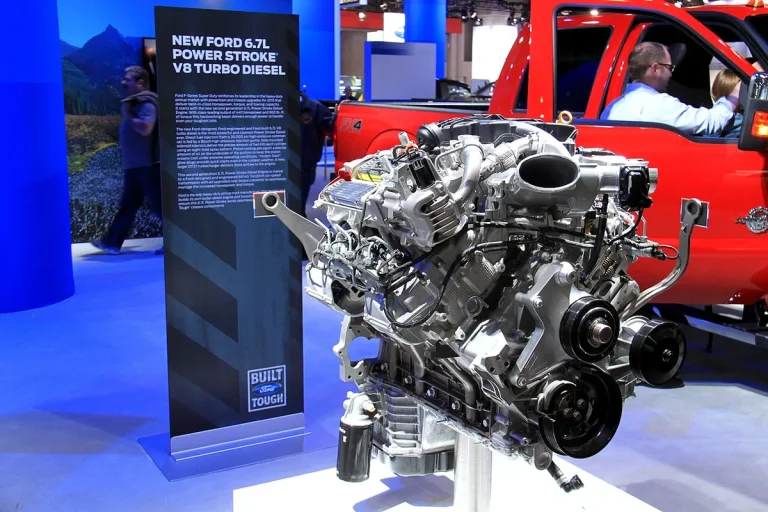

Roll Windows Down With Key Fob Ford F250
If you’ve ever climbed into a sweltering Ford F-250 after it’s been parked in the sun, you’ve probably wished you could roll the windows down remotely. The good news is that some F-250 models do support this feature using the key fob, but it’s not universal. How to roll windows down with key fob ford f250 depends entirely on your truck’s model year, trim level, and factory-installed hardware.
In our research, we found that Ford introduced remote window control on Super Duty trucks starting with the 2017 model year. As of 2026, this feature remains available on most XLT trims and above, but it’s often disabled by default or misunderstood by owners. Let’s walk through exactly what you need, and what to do if your setup doesn’t cooperate.
Does Your Ford F-250 Actually Support Remote Window Control?
Not every F-250 can roll its windows down with the key fob, even if it has power windows. The capability hinges on three things: model year, trim level, and whether the Body Control Module (BCM) was programmed for it at the factory.
If your truck was built before 2017, it almost certainly doesn’t support remote window operation, Ford didn’t include the necessary firmware or wiring logic in those earlier Super Duty platforms. From 2017 onward, higher trims (XLT, Lariat, King Ranch, Platinum) typically have the feature enabled, while base XL models may lack it entirely, even if they look identical from the outside.
You can’t tell just by looking at the key fob. Some owners assume a 4-button fob means remote windows are possible, but that extra button is usually for remote start, not window control. The real test is trying the sequence (which we’ll cover shortly), but if your truck is pre-2017 or an XL trim, don’t expect it to work without aftermarket help.
What You’ll Need Before Trying This
Before you press any buttons, make sure your setup meets the basic requirements. Missing one of these will cause the process to fail every time.
First, your ignition must be completely off, not in accessory mode, not in “run,” but fully switched off or with the key removed. Second, all doors need to be unlocked. If any door is locked (even the tailgate on some models), the system won’t respond. Third, you’ve got to be within 10 to 20 feet of the truck; key fob range drops fast if the battery is weak or there’s interference from buildings or other electronics.
Your key fob itself matters too. Most post-2017 F-250s come with either a 3-button or 4-button fob. The 3-button version (lock, unlock, panic) can still trigger windows on supported trucks, but the method differs slightly from the 4-button version (which adds remote start). Don’t worry, we’ll break down both.

How the Key Fob Window Feature Works (And Why It Fails)
When you hold the unlock button on a compatible F-250, you’re not directly controlling the window motors. Instead, you’re sending a coded signal to the Body Control Module (BCM), which then routes power to the door switches in a specific sequence. The BCM checks a few conditions: ignition state, door lock status, and whether the feature is enabled in its programming.
This is why the process feels finicky. If the BCM doesn’t see “ignition off” and “doors unlocked,” it ignores the command, even if you’re standing right next to the truck. Also, some dealers disable this feature during delivery to prevent accidental activation, especially in fleet vehicles. It’s not broken; it’s just turned off in the software.
Another common failure point is the key fob battery. If it’s below 2.8 volts (a standard CR2032 spec), the signal strength drops enough that the BCM might not register the long press. Replace the battery if you haven’t in the last two years, and always test the fob close to the driver’s side door, where the receiver antenna is usually located.
Step-by-Step: Rolling Down Windows with Your Key Fob
Here’s the exact sequence that works on supported 2017, 2026 F-250s. Follow these steps precisely, timing matters.
For 3-button fobs (lock, unlock, panic):
- Make sure the ignition is off and all doors are unlocked.
- Stand within 10, 20 feet of the truck.
- Press and hold the unlock button for 3, 5 seconds.
- Release it, then immediately press and hold unlock again.
- Keep holding until all windows begin lowering (usually within 2, 3 seconds).
For 4-button fobs (with remote start):
- Same prep: ignition off, doors unlocked, close range.
- Press and hold the panic button (the red triangle) for 3, 5 seconds.
- Windows should start descending automatically.
If nothing happens, wait 10 seconds and try again. Don’t spam the button, the BCM needs a brief reset between attempts. On some 2021+ models, you may need to enable “Remote Window Operation” in the instrument cluster settings under Vehicle > Door Options.
When This Won’t Work (And What to Do Instead)
If you’ve followed every step and the windows stay put, your truck likely doesn’t support the feature, or it’s been disabled. Pre-2017 F-250s simply lack the hardware logic for remote window control. Even some 2017, 2019 XL trims were sold without it, depending on the build sheet.
In those cases, you’ve got two realistic paths. First, check with a Ford dealer about a BCM reprogram. Sometimes the feature is buried in the software but turned off, especially on fleet or work trucks. A quick flash update might unlock it at no cost under certain service programs.
Second, consider an aftermarket solution like the AutoVent module. These plug into the OBD-II port and intercept door lock signals to trigger window movement. They’re not factory-grade, but they work reliably on any F-250 with power windows. Just remember: modifying your truck’s electrical system voids parts of your warranty and could interfere with other modules if installed incorrectly.
Common Mistakes That Break the Process
Even on trucks that support remote window control, owners often fail because they skip small but critical steps. The most frequent error is trying the sequence with the ignition in accessory mode. The BCM won’t respond unless the key is fully out or the ignition is switched to “off”, not “acc” or “run.”
Another trap is holding the wrong button too long on the first press. On 3-button fobs, you must release the unlock button after the initial 3, 5 seconds before pressing it again. Holding it continuously confuses the system, it thinks you’re just unlocking the doors, not initiating a window command.
Some users also stand too far away. If you’re near a metal garage door, concrete wall, or another vehicle, the fob signal can weaken. Move within 10 feet of the driver’s side door, where the receiver antenna is typically mounted. And if your fob battery is old, replace it before troubleshooting anything else.
Better Alternatives If Your Truck Doesn’t Support It
If your F-250 lacks factory remote window control, you’re not stuck rolling windows by hand. Aftermarket modules like AutoVent or WindowMatic plug into the OBD-II port and use door lock signals to trigger window movement. These cost between $80 and $150 and work on any model year with power windows.
Installation takes 10 minutes: plug the module in, pair it with your key fob following the instructions, and test. They won’t give you the seamless feel of a factory feature, but they’re reliable for basic venting. Just avoid cheap no-name brands, some interfere with CAN bus communication and cause erratic behavior in other systems.
For newer F-250s (2021+), check if FordPass app integration is available. On equipped trims, you can use the app to start the truck remotely, which sometimes triggers automatic window lowering if the climate setting is configured for “ventilate on start.” It’s not direct control, but it helps in a pinch.
Safety Notes: Don’t Get Stuck or Cause Damage
Remote window operation isn’t risk-free. Never leave children or pets unattended with windows partially down, even briefly. A curious child could trigger the fob or reach through an open window, creating a hazard.
Also, don’t rely on this feature in freezing temperatures. Ice can jam window seals or freeze the motor, and forcing operation may burn out the regulator. If you suspect moisture buildup, roll windows down manually first to check for resistance.
Modifying your truck’s electrical system with aftermarket modules carries warranty risks. Ford may deny claims related to door electronics if they detect non-OEM parts during service. Document your installation and keep receipts in case you need to revert before a dealer visit.
Final Checklist: Is Your F-250 Set Up for Remote Windows?
Before you walk away frustrated, run through this quick diagnostic:
- Model year 2017 or newer?
- Trim level XLT or above?
- Ignition fully off (not accessory)?
- All doors unlocked?
- Key fob battery fresh (CR2032, 3V)?
- Standing within 10 feet of driver’s door?
If you answered “no” to any, that’s likely your blocker. If all are “yes” and it still doesn’t work, visit a Ford dealer with your VIN. They can check if the feature is disabled in the BCM and enable it at no charge under certain service campaigns.
What If the Windows Go Down but Won’t Go Back Up?
This rare but annoying glitch happens when the BCM loses its position memory after a battery disconnect or low-voltage event. The windows drop on command but don’t respond to the “up” sequence because the system doesn’t know where the glass is.
To reset it, turn the ignition to “on” (don’t start the engine), then press and hold the window switch for the affected door until the window goes fully up. Keep holding for 3 seconds after it stops. Repeat for each door. This reteaches the motor’s end points and usually fixes the issue.
If the problem persists, the window motor or regulator may be failing. Listen for grinding or slow movement, those are signs of mechanical wear, not a software bug.
Related posts:
 What Year Ford F250 to Avoid
 Does a 2001 Ford F250 Have a Cabin Air Filter
Does a Ford F250 Have a Cabin Air Filter
How Long Is a Ford F250 Extended Cab
How Many Catalytic Converters Does a Ford F250 Have
 How Many Tons Can a Ford F250 Haul
How Much Can a Ford F250 Pull
 How Much Does a 2019 Ford F250 Weigh
How Much Is a 1995 Ford F250 Worth
How to Disable Tpms on Ford F250 — Ranked & Reviewed
How to Remove Ford F250 Radio for 2026: Worth Your Money
Roll Down Windows With Remote Ford F250